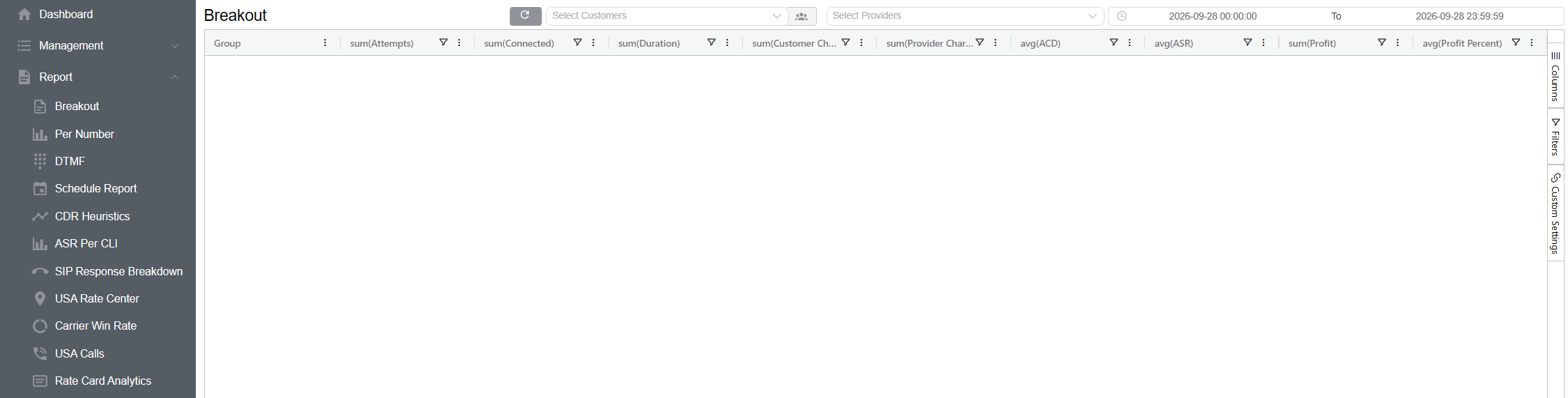
Report
Document Metadata
Category: Reporting & Analytics / Standard Reports
Audience: Administrators, Engineers, Billing & Product Teams
Difficulty: Intermediate
Time Required: Approximately 30–60 minutes
Prerequisites: Active ConnexCS account with Reports access; familiarity with call metrics (ASR, ACD), traffic segmentation, and prefix/rate-center concepts.
Related Topics: Rate Card Overview, Analytics & Custom Reports
Next Steps: Navigate to the Report module, select the appropriate report type (e.g., Breakout, USA Calls, Per Number), apply filters (date range, customers, providers), generate the report, then use exports or schedule email delivery for continuous monitoring.
Overview
The Report section provides comprehensive insights into historical call data, network performance, routing efficiency, and operational activities.
It enables users to monitor trends, analyze call statistics, evaluate performance, and gain better visibility into their operations.
Reports can be viewed, analyzed, and downloaded to support day-to-day monitoring and data-driven decision-making.
Key Features
- Historical Data Analysis: Analyze historical data to identify trends, patterns, and changes over time.
- Detailed Reporting: Access detailed reports across different operational and performance metrics.
- Performance Insights: Review call and network performance to identify potential issues and areas for improvement.
- Data Filtering: Refine report data to focus on specific information and reporting requirements.
- Report Downloads: View and download report data for further analysis or record keeping.
- Scheduled Reports: Configure reports to run automatically at defined intervals and receive recurring reports without manually generating them.
- Multiple Report Views: Use different reporting views to analyze operational data from different perspectives.
Schedule Report
Schedule Report allows users to automate the generation of reports based on a defined schedule. Instead of manually running the same report repeatedly, users can configure a report to run automatically at the required frequency.
Scheduled reports are useful for recurring operational reviews, regular performance monitoring, and routine data distribution. This helps ensure that required reports are generated consistently and are available when needed.
Benefits
- Improved Visibility: Gain a clearer understanding of historical and operational data.
- Faster Analysis: Quickly access the information required to investigate trends and performance.
- Better Decision-Making: Use data-driven insights to support operational and business decisions.
- Reduced Manual Effort: Automate recurring reporting requirements with scheduled reports.
- Consistent Reporting: Maintain a regular reporting cycle without manually generating each report.
- Operational Monitoring: Identify trends and potential issues through regular analysis.
- Centralized Reporting: Access multiple reporting capabilities from a single location.