Document Component Model (DCM)
Introduction
DCM is a templating or placeholder syntax used in ConnexCS Page Builder.
These are special placeholders (prefixed with $) that get replaced with real user or account data when a page is rendered.
They allow you to personalize content dynamically.
Each component in the Page Builder has their own modules.
Example
this.$('button1').setLabel('hello')
DCM for Page Builder Components
getID ()
- Description: Returns the ID of the current UI component.
- Syntax:
this.$('componentID').getId(); - Components that support this method:
- Alert
- Button
- Card
- Cascader
- Checkbox
- Collapse
- Color
- Data Grid
- Date
- Divider
- Editor
- Grid
- Group
- HTML
- IFrame
- Inline
- Input
- Link
- Number
- Page Layout
- Pagenation
- Radio
- Rate
- Select
- Slider
- Statistic
- Steps
- Switch
- Table
- Tabs
- Textarea
- Text
- Time
- Transfer
- Treeselect
- Webphone
How to use?
- Login to your account.
- Navigate to IDE Page Builder.
- Drag and drop the required component (using
Buttonhere). - Click on Form Attribute Action Panel Setting + Add Action.
- Edit the
Function Name. - Write the code for
getId()method.console.log(this.$('button1').getId());. ClickSave.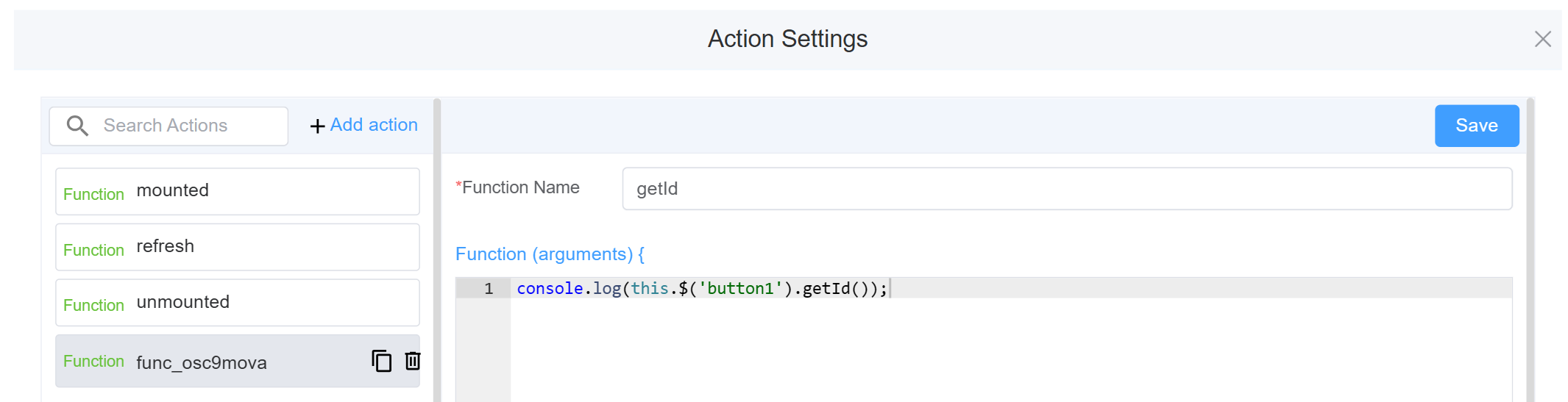
- Click on Component Attribute: Action Settings (onClick): Select the created function (getId in this example).
- Click on
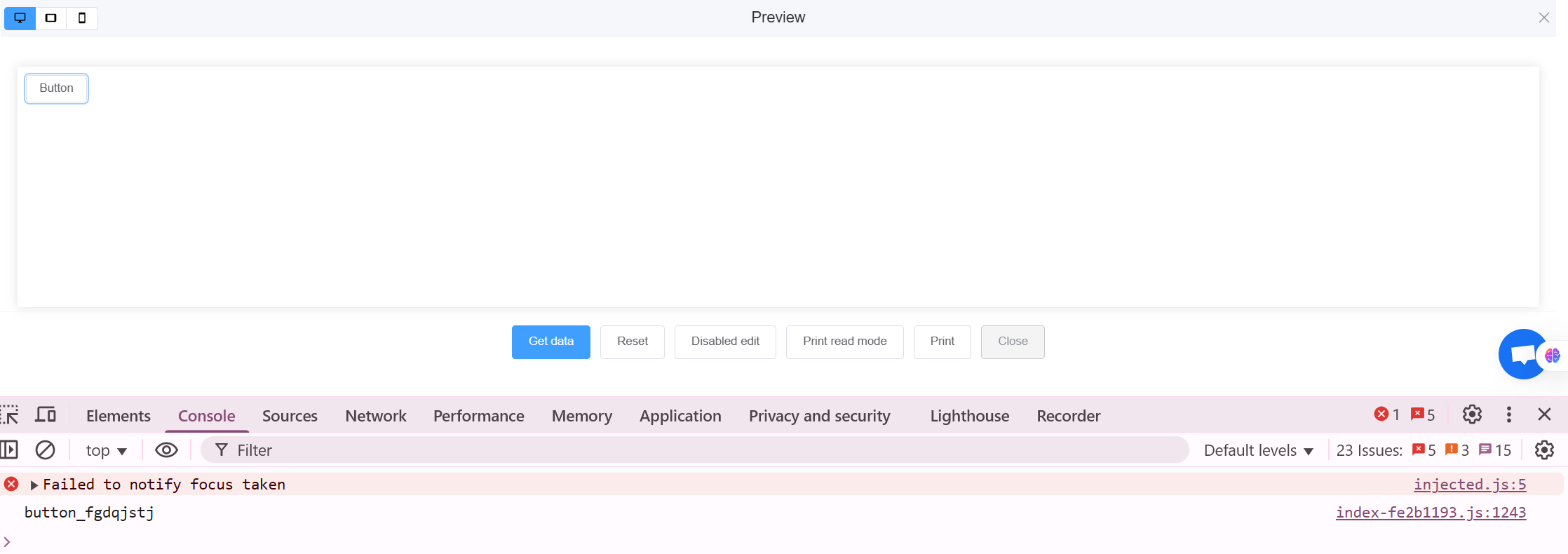
Preview. Open the console window (F12). - Click on the
Buttonto view its ID.