ConnexCS ScriptForge Migration Guide: Old to New Implementation
Overview
This guide shows developers what changes they need to make to scripts written following the old ConnexCS official documentation to work with the new improved implementation.
Class 4 Routing (Routes & DID)
Old Pattern:
function main (data = {}) {
    // data.routing contains the same data you will find in the Logs
}
New Pattern:
export function main(data = {}) {
    // data.routing contains the same data
}
Changes Required:
- Add export keyword
Class 5 Programmable Voice
Old Pattern:
async function main (data , ctx) {
    await ctx.answer();
}
New Pattern:
import cxC5Server from 'cxC5Server';

export async function main(data) {
    const ctx = new cxC5Server(process.env.CORRELATION_ID);
    await ctx.answer();
}
Changes Required:
- Add import cxC5Server from 'cxC5Server' at top
- Add export keyword
- Remove ctx from parameters
- Initialize ctx inside function: const ctx = new cxC5Server(process.env.CORRELATION_ID);
C4 Call Control (C4)
Old Pattern:
const {C4} = require('cxCallControl');
async function main() {
    const c4 = await C4(['myServerName']);
    const registrations = await c4.registrations('7900');
}
New Pattern:
import { C4 } from "cxCallControl";
export async function main() {
    const c4 = await C4(['myServerName']);
    const allRegistrations = await c4.registrations();
    const registrations = await c4.registrations('7900');
}
Changes Required:
- Add export keyword to main function
- Use ES module import instead of require
C5 Call Control (C5)
Old Pattern:
const {C5} = require('cxCallControl');
async function main() {
    const c5 = await C5(['am1fs1']);
    const callEmitter = await c5.originate(...);
}
New Pattern:
import { C5 } from "cxCallControl";
export async function main() {
    const c5 = await C5(['am1fs1']);
    const callEmitter = await c5.originate(...);
}
Changes Required:
- Add export keyword to main function
- Use ES module import instead of require
AI Call Control (AI)
Old Pattern:
const {AI} = require('cxCallControl');
async function main() {
    const ai = await AI(['am1fs1']);
    const callEmitter = await ai.originate(...);
}
New Pattern:
import { AI } from "cxCallControl";
export async function main() {
    const ai = await AI(['am1fs1']);
    const callEmitter = await ai.originate(...);
}
Changes Required:
- Add export keyword to main function
- Use ES module import instead of require
cxJob Background Jobs
Old Pattern:
const cxJob = require('cxJob');
async function main(data) {
    const job = await cxJob.add(...);
}
New Pattern:
import cxJob from "cxJob";

export async function main(data) {
    const job = await cxJob.add(process.env.SCRIPTFORGE_ID, 'processJob', { items }, { attempts: 5 });
    return await job.result;
}

export async function processJob(data) {
    cxJob.setProgress(...);
    cxJob.setData(data);
}
Changes Required:
- Add export keyword to all functions (main and processJob)
- Use ES module import instead of require
cxUserspace Data Storage
Old Pattern:
const { get, create, update, random, sql } = require('cxUserspace');
async function main() {
    const record = await get(...);
}
New Pattern:
import { get, create, update, random, sql } from 'cxUserspace';
export async function main() {
    const record = await get(...);
    const createdRecord = await create(...);
}
Changes Required:
- Change require to ES module import
- Add export keyword to main function
cxPubSub Messaging
Old Pattern:
const { subscribe, publish } = require('cxPubSub');
async function main() {
    await subscribe('myEvent', '1234', (data) => {});
}
New Pattern:
import { subscribe, publish } from 'cxPubSub';
export async function main() {
    await subscribe('myEvent', '1234', (data) => {});
    await publish('myEvent', '1234', { my: 'data' });
}
Changes Required:
- Change require to ES module import
- Add export keyword to main function
cxRest API Calls
Old Pattern:
const auth = require('cxRest');
const api = auth("[email protected]");

async function main() {
    const customers = await api.get('customer');
}
New Pattern:
import auth from 'cxRest';

export async function main() {
    const api = auth(process.env.CX_API_USER);
    const customers = await api.get('customer');
}
Changes Required:
- Change require to ES module import
- Add export keyword to main function
cxKV Key-Value Storage
Old Pattern:
const { kv, ko } = require('cxKV');
async function main(data) {
    await kv.set('hello', 'world');
}
New Pattern:
import { kv, ko } from 'cxKV';
export async function main(data) {
    await kv.set('hello', 'world');
    const value = await kv.get('hello');
}
Changes Required:
- Change require to ES module import
- Add export keyword
cxSend (Email & SMS)
Old Pattern:
const { email, sms } = require('cxSend');
async function main(data) {
    await email({...});
}
New Pattern:
import { email, sms } from 'cxSend';
export async function main(data) {
    await email({...});
    await sms('447870296546', 'Hello World!');
}
Changes Required:
- Change require to ES module import
- Add export keyword
Knex Database Queries
Old Pattern:
const cxUserspace  = require('cxUserspace');
async function main() {
    const db = await cxUserspace.knex({}, 'mydatabase');
}
New Pattern:
import { Kysely } from 'https://esm.sh/kysely?bundle=true';
import { ConnexCSDialect } from 'cxKysely';

export async function main() {
    const db = new Kysely({dialect: new ConnexCSDialect({})});
    const users = await db.selectFrom('1002_mydatabase').select(['address1']).execute();
}
Changes Required:
- Change require to ES module import
- Use Kysely instead of knex
- Use URL import for Kysely library
- Add export keyword
External Libraries (dayjs)
New Pattern:
import dayjs from 'esm.sh/dayjs';

export function main() {
    return dayjs().format('YYYY-MM-DD HH:mm:ss');
}
Event Polling
Old Pattern:
async function main() {
    env.cxTest.on('countTo5');
    const results = [];
    setInterval(() => {
        const result = env.cxTest.poll('countTo5');
        if (result) results.push(...result)
    }, 100)
}
New Pattern:
export async function main() {
    env.cxTest.on('countTo5');
    const results = [];
    setInterval(() => {
        const result = env.cxTest.poll('countTo5');
        if (result) results.push(...result)
    }, 100)
    return results;
}
Changes Required:
- Add export keyword
Importing a Function From a Different File inside same App
Old Pattern:
Previous syntax to export function
// get_customer_record
function getCustomerRecord() {
  // your logic here
}
module.exports = { getCustomerRecord };
Previous syntax to import function
const { getCustomerRecord } = require('get_customer_record');

async function main() {
  return getCustomerRecord();
}
New Pattern
Export
// get_customer_record
export function getCustomerRecord() {
  // your logic here
}
Import
import { getCustomerRecord } from './get_customer_record';

export async function main() {
  return getCustomerRecord();
}
Changes Required:
- Add the
exportkeyword in the fucntion. - Replace
requirewithimportand use './' in starting of file name - Use ES moduleimportinstead of require. - Remove
module.exportsand export functions directly.
Notes - These patterns focus on the most common migration changes: switching to ES module imports, adding
exportto entry functions, and initializing services inside the function (instead of receiving context objects).
- When addingimportstatements that reference environment-provided libraries, follow the same exact import path used by the platform's runtime (case-sensitive). - Test each script in a staging environment before promoting to production.
AI-Assisted ScriptForge Migration
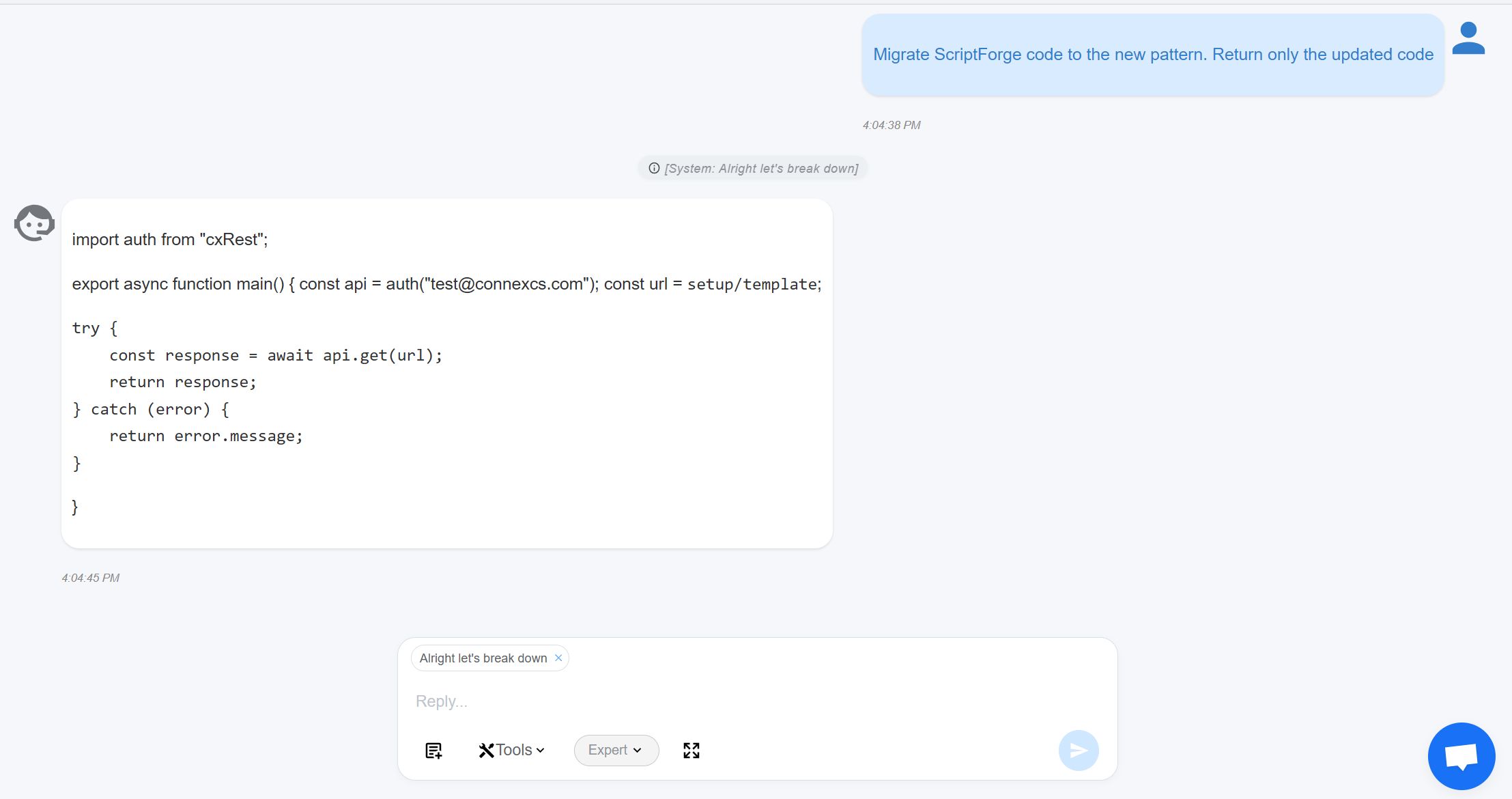
ConnexCS provides an AI-powered migration button to help convert code written in the legacy ScriptForge format into the new ScriptForge format.
When clicked, the button generates AI suggestions that guide and simplify the migration process by proposing updated syntax and structure based on the new format. This serves as an assistive tool, not an automatic conversion.
All AI-generated changes must be reviewed and confirmed by the user before acceptance to ensure correctness, security, and intended behavior.
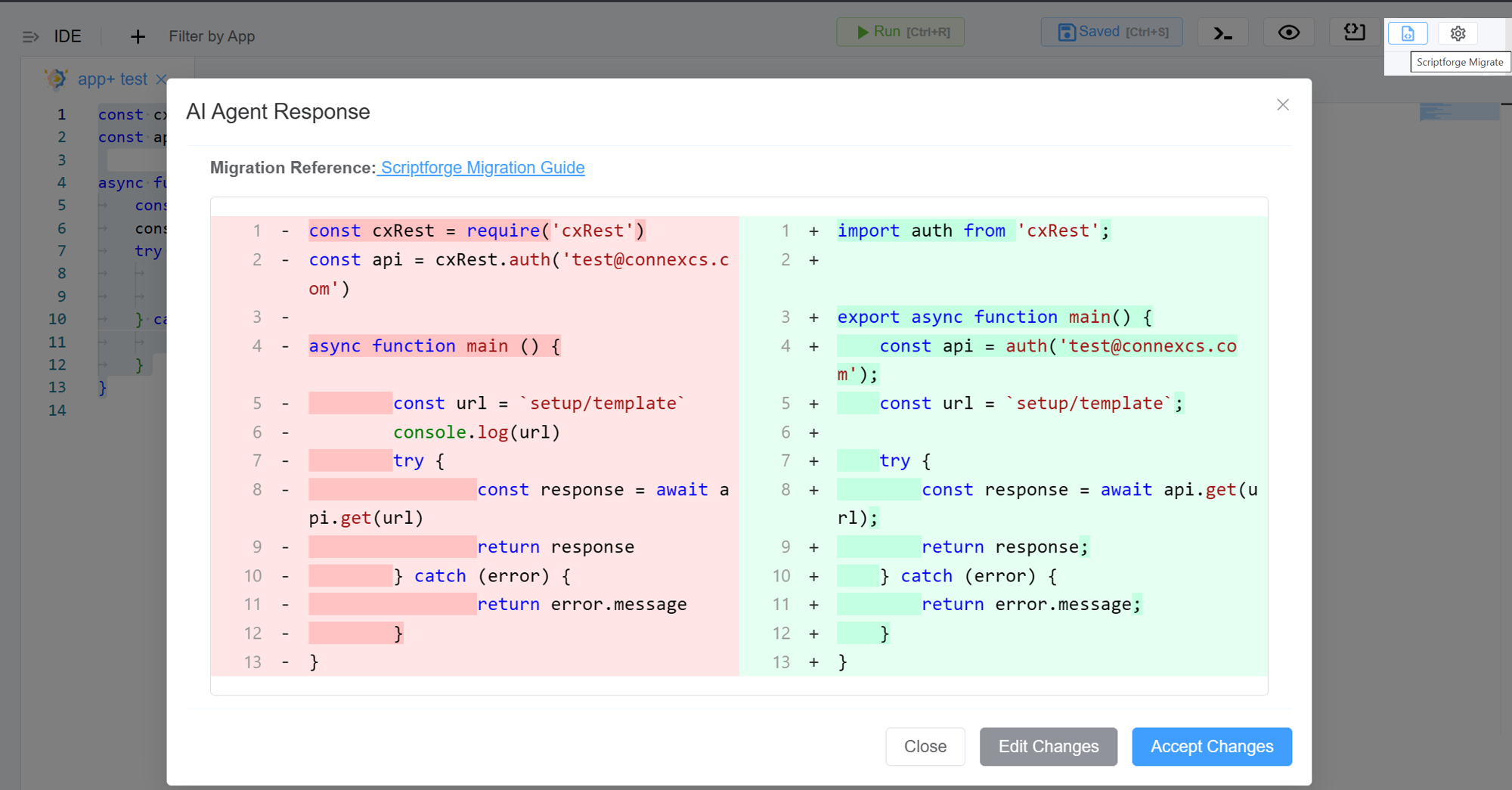
Click Accept Changes if the you are satisfied with the result.
Click on Edit Changes if you notice anything incorrect or unexpected in your code, please review and update it accordingly.
An AI Assistant chat window will appear with the following options:
-
Add context: Lets you provide additional information to give more background to the AI. This context is used to generate more accurate, relevant, and informed responses without changing the main content.
-
Mode: Select
Standardfor quicker results orExpertfor more in-depth analysis.