Query Builder
Document Metadata
Category: Applications Platform / Query Builder
Audience: Developers, Data Engineers, Technical Integrators
Difficulty: Intermediate to Advanced
Time Required: Approximately 20–30 minutes
Prerequisites: Access to the ConnexCS Apps Platform IDE with permission to create Query Builder jobs, basic familiarity with SQL or structured query logic, understanding of your data-schema (database/table names, fields)
Related Topics: Apps Architecture – App Structure, Databases – Custom Persistent Storage
Next Steps: Create query in IDE → select App/visibility → write and test SQL → use G3 for time-series data → save/share
Introduction
A Query builder is a tool or library that helps developers construct database queries in a more intuitive and structured way, often without requiring direct knowledge of the query language (like SQL).
It serves as an abstraction layer between the developer and the database.
Common use cases include: Database Administration Tools, Web Application, Report Generation etc.
How to use Query Builder?
-
Login to your account.
-
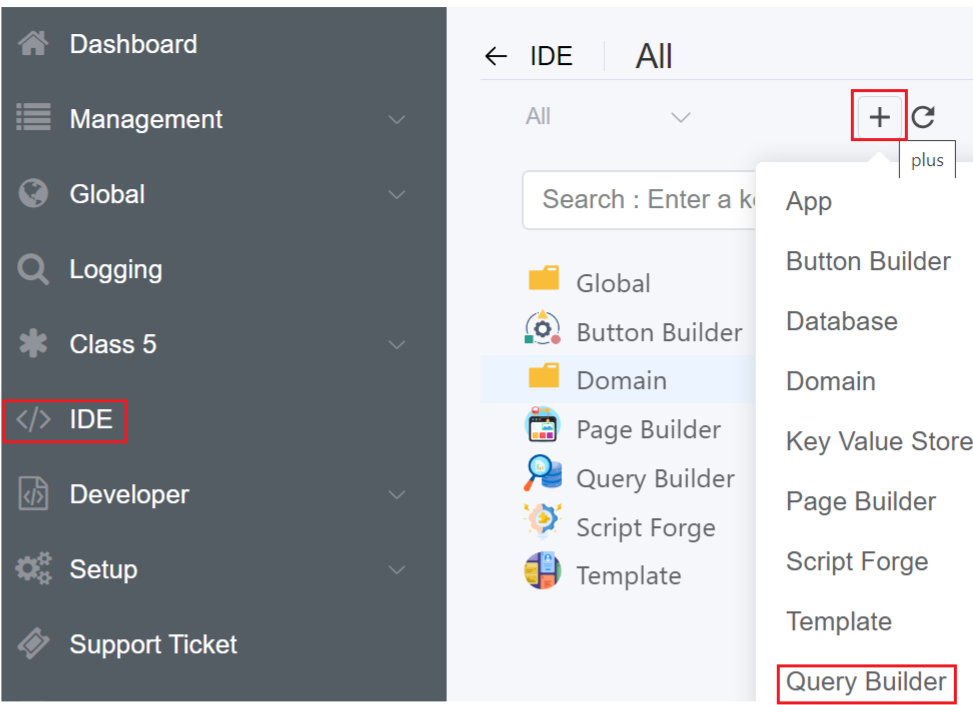
Navigate to IDE
+sign Query Builder.
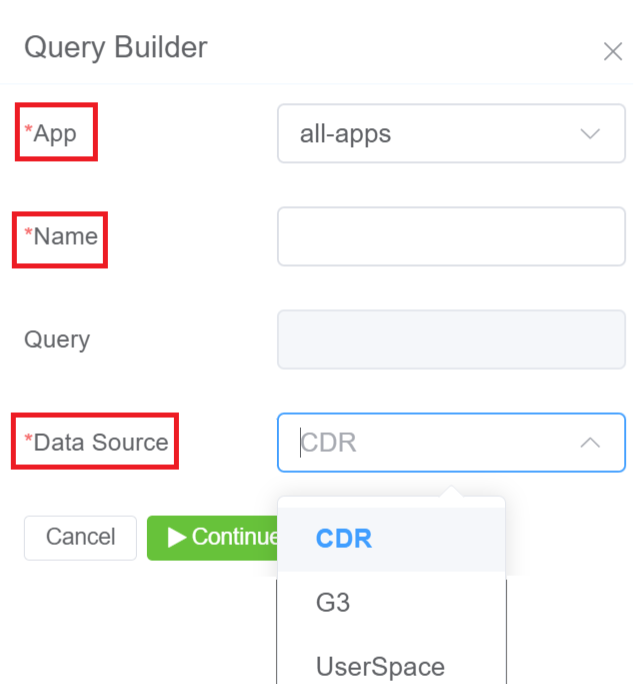
3.Select the App and enter the domain where the App will be visible and accessible.
4.Click Save.
5.The created Query will be visible on the IDE panel under Query Builder tab.
6.Click on your created Query.
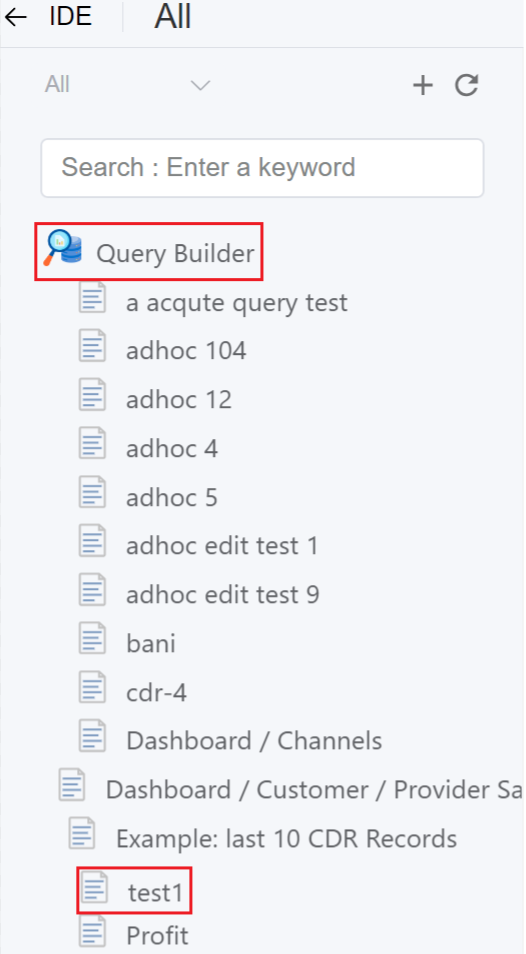
7.Enter the SQL query code.

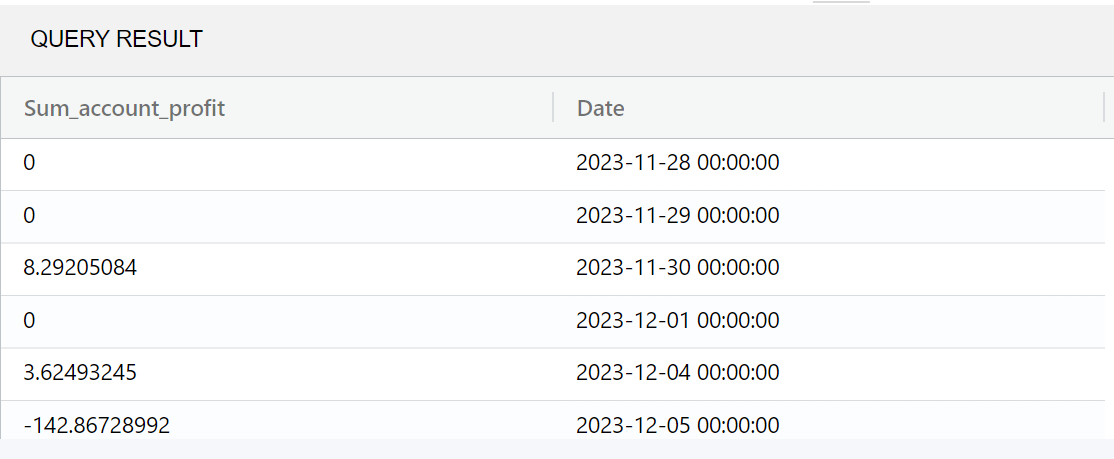
8.Click on Save and then Run. It will display a query output.
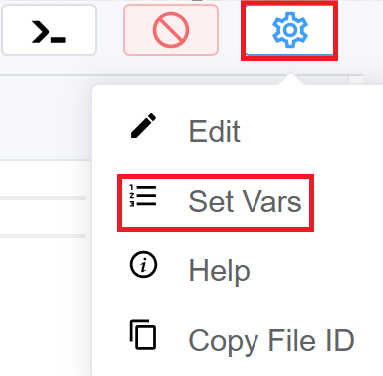
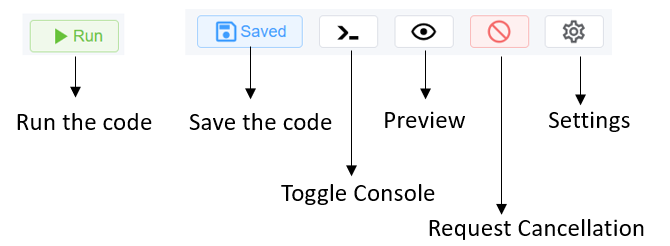
9.You can Run and Save the code, Toggle Console, Preview (errors), Request Cancellation for cancelling any ongoing requests, for example taking longer to execute, Settings you can edit, Set Vars, Copy file ID, Copy UUID using Settings.
G3 Query Builder
When creating a query, you can select the data source as G3, which is helpful when you intend to visualize the data as a graph.
The start_date feature facilitates specifying time ranges using natural language parsing in JavaScript.
start_date is a natural language date parser in Javascript. It can extract data from any provided text and handle the majority of date/time formats.
- Today, Tomorrow, Yesterday, Last Friday, etc
- 1 January 2013 - 9 May August 2013
- This Tuesday from 3:00 - 6.00
- 7 days ago
- 4 weeks from now
- Sun Aug 7 2013 18:40:39 UTC/GMT +5:30 hours (IST)
- 2024-11-30T08:15:30-05:30
| Normal SQL Query | G3 Query |
|---|---|
fromcdr.cdrwheredt>= DATE_SUB(NOW(), INTERVAL 30 DAY) |
start_date: 7 days ago |
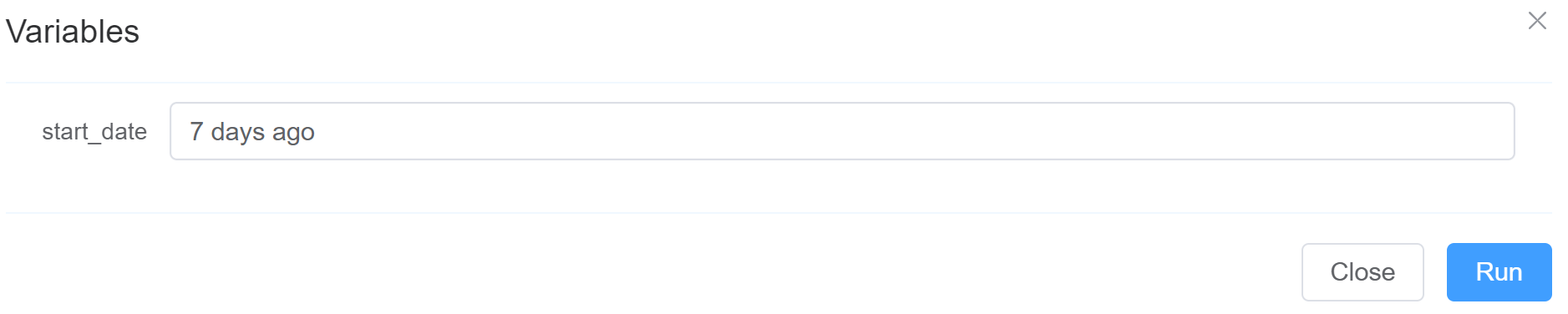
You can also put a default value of the start_date by making it a variable using Set Vars.
For example,
1 | |
1 | |
You can put any value in the Vars field, it will be treated as a default value when you use the above code.