Account
Document Metadata
Category: Setup / Account Configuration
Audience: Administrators, Engineers, Support Team
Difficulty: Beginner to Intermediate
Time Required: Approximately 10–20 minutes
Prerequisites: Active ConnexCS account
Related Topics: Company Settings, Security Settings, Users & Roles, Notifications, Billing & Subscription
Next Steps: Review and update account-level information, then verify that changes reflect across billing, user access, and system defaults.
Setup Settings Account
The Account overview allows you to edit Company and General Information, set Simple Mail Transfer Protocol (SMTP) Details, view Packages and the Service Agreement.
Edit Account Details
To add or edit Company information, click the blue pencil icon. This allows you to edit:
- Name
- Company
- Company Registration ID
- OCN: It's the Operating Company Number
- FRN: It's the Firm Registration Number
- VAT Registration ID
Under General Information, you can check the following:
- Currency
- Account Balance
- Billing Method (Click on the blue text to toggle between per channel and per-minute billing; it changes once every 30 days).
- Users can switch between billing methods; however:
- Once changed, it cannot be modified again for 30 days.
- This restriction prevents users from strategically altering their billing method to avoid charges.
- Admins can override this in the backend but generally don't.
- Users can switch between billing methods; however:
Under Address section can only verify the address and can't modify it.
Under Contact Information section can only verify and edit the contact details.
1 | |
Additional Configuration
To change any other settings, please contact Technical Support.
SMTP Details
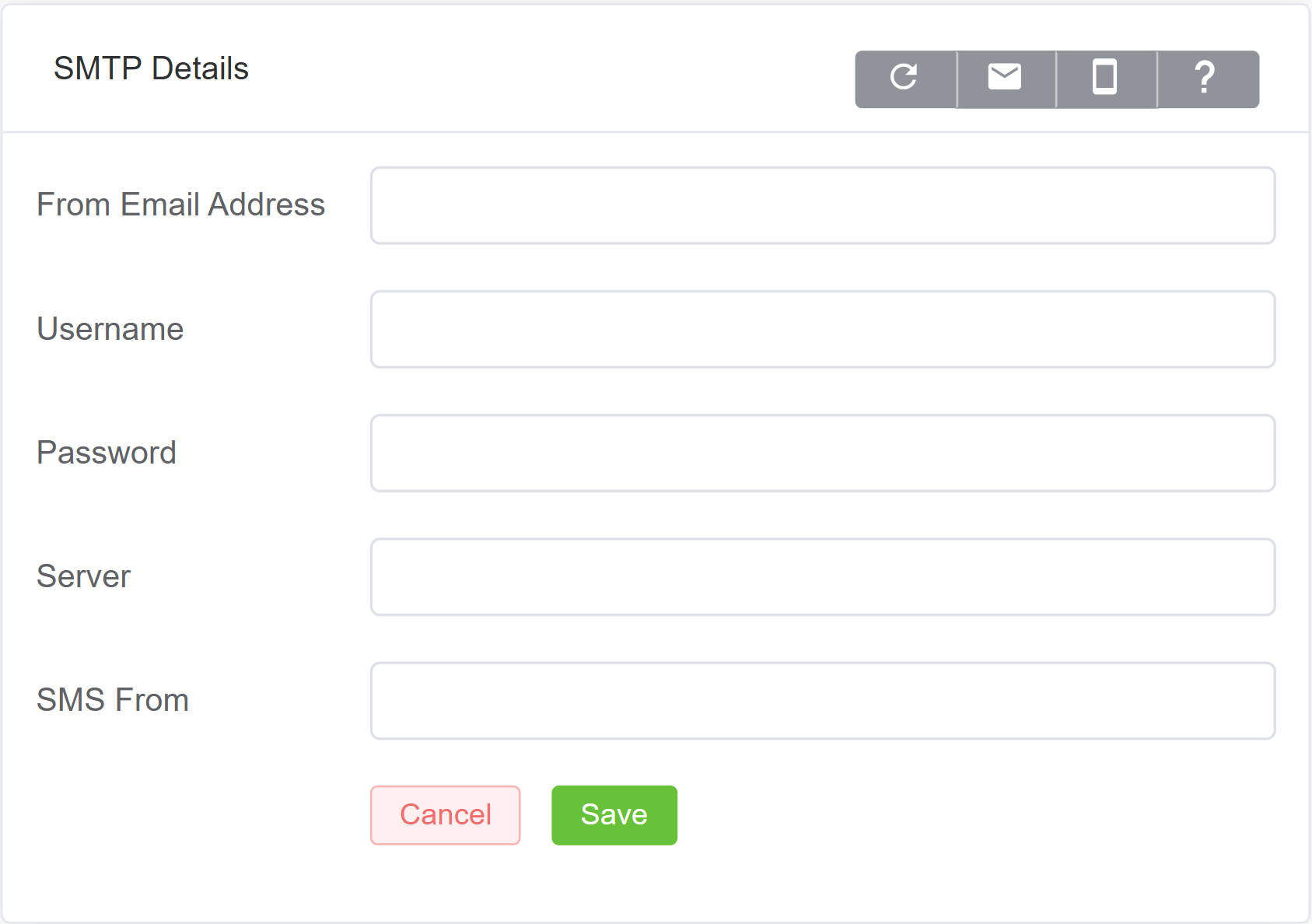
SMTP section is used to configure outgoing email settings.
To add or edit SMTP information, click the blue pencil icon:
- From Address is the email address that will receive the details.
- Username and Password should match your server configuration.
- Server is your server domain.
Tip
By default, the system attempts to connect over port 25. If TLS is required, users should update the port to 465.
- SMS From is the mobile number that sends SMS messages.
- Click
Save.
Test Email or Test SMS buttons send test messages via each method. You can find the buttons on the far right of the SMTP details window.
TLS SMTP
To use TLS SMTP, set the Server format as "mail.yourdomain.com:465."
If not specified, the system will use the default SMTP port 25.
Packages
You can see below the Company information, a list of the applied ConnexCS packages, along with Quantity, Name (of the package), and the Cost (in per minute changes).
Click Enable Call Recording to add the feature to the Account. First, you need to enable this on individual accounts under Management Customer [Customer Name] Routing Ingress routing Media.

ConnexCS Service Agreement
To view the full ConnexCS Service Agreement, click on the below link: