Tags
Document Metadata
Category: Customer Account Management / Tags & Template-Rules
Audience: Administrators, Engineers, Support Team
Difficulty: Intermediate
Time Required: Approximately 30–45 minutes
Prerequisites: Active ConnexCS account with access to the Customer module and ability to edit Tags configuration
Related Topics: Alerts for Customers, Routing Strategy Templates
Next Steps: Create your tag list (e.g., “High-Capacity”, “Premium”, “Trial”), apply to customers via
Customer → Config → Tags, then assign global alerts or routing templates that reference those tagsManagement Customer Tags
A Tag refers to a label or keyword used to categorize or identify something.
Tags allow you to create Alerts and Routing information at a global level. Once you have created the Tags, you can then tag the created Alert or Routing Strategy to your customers.
You can go to Management Customer Config Tags.
- You can go to Management Customer Config Tags.
- Click on the dropdown next to Tags and assign it to your customer.
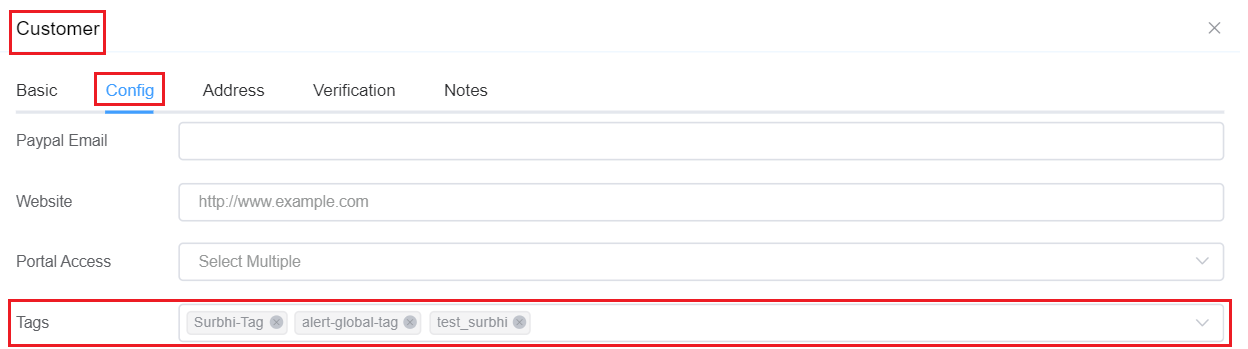
Tags help reduce the time and effort required in creating an Alert or Routing Strategy for each individual customer.
You can create a general alert or routing strategy and apply it to as many customers as you want.