Creating Agents
Document Metadata
Category: Customer Portal / Contact Center – Agent Management
Audience: Administrators, Engineers, Support Team
Difficulty: Intermediate
Time Required: Approximately 15–25 minutes
Prerequisites: Active ConnexCS account, Customer Portal module enabled, Contact Center and Dialer configured, and appropriate administrative permissions to create and manage agents in the portal.
Related Topics: Customer Portal – Contact Center Overview, Dialer Setup, Campaign Management, Dialer Dashboard
Next Steps: Add or import agent user accounts, assign appropriate roles and permissions, verify agent login to the Customer Portal, and test agent-specific call workflows (dialer access, call handling, agent reporting).
Creating Agents is ONLY for Auto Dialer and Preview Dialer.
Overview
Agent creation is the process of setting up the agents who will be part of a call center campaign.
You can specify how many agents will be assigned to the campaign and add them to the system.
Additionally, bulk agent creation allows you to quickly set up multiple agents at once.
Steps to add the Agent
This section has information on the agents. You can also Create Bulk Agents. 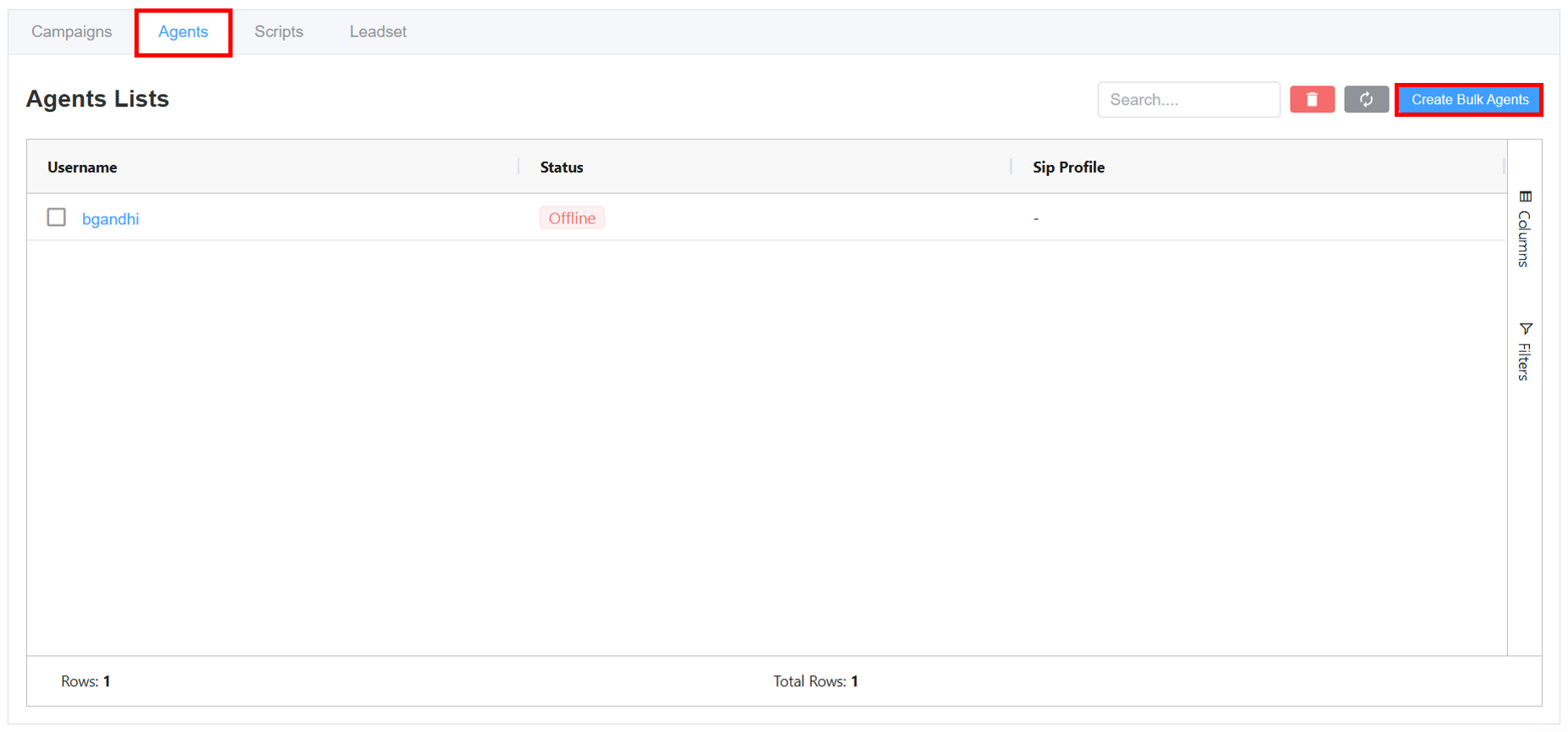
Important Note
Ensure the Internal Number Block is configured before proceeding to Agent creation.
-
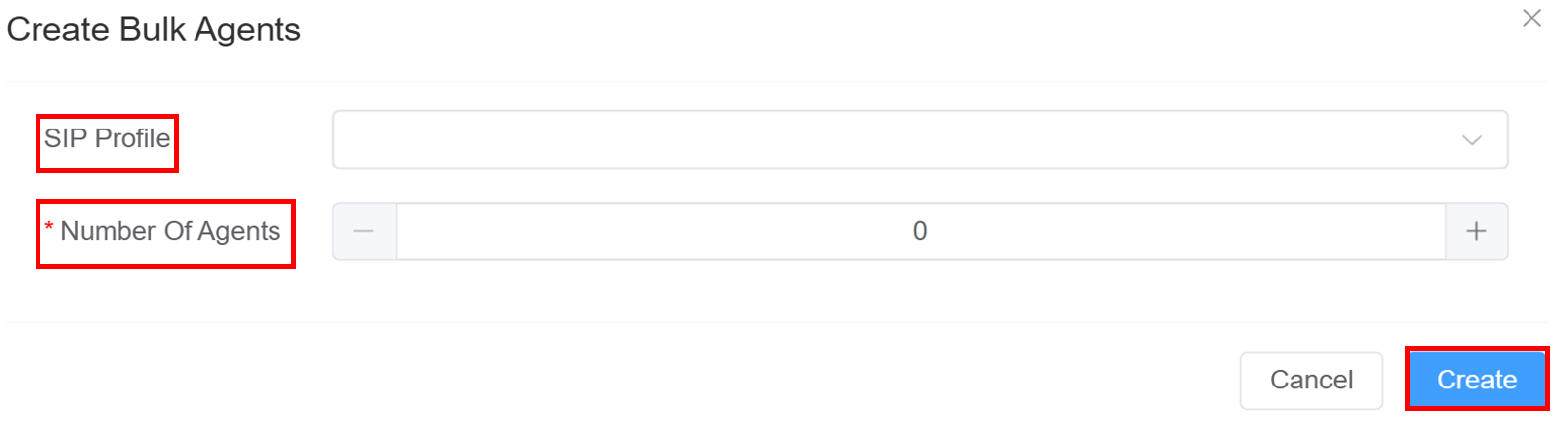
Select a
SIP Profile. -
Add the
Number of Agentsfor participation in this campaign. -
Click on
Create.