Dialer Dashboard: Features and Functions
Document Metadata
Category: Customer Portal / Contact Center Dashboard
Audience: Administrators, Engineers, Support Team
Difficulty: Intermediate
Time Required: Approximately 20–40 minutes
Prerequisites: Active ConnexCS account, Customer Portal module enabled, Contact Center feature installed and configured in portal dialer settings, and relevant user permissions for dashboard access.
Related Topics: Customer Portal – Contact Center Installation
Customer Portal – Contact Center Overview
Contacts Management
Customer Dashboard
Next Steps: Log in to the portal as a Dialer-Dashboard user, review dashboard metrics and controls, test outbound/inbound call workflows, monitor call logs and performance metrics, and integrate with customer & contact data for workflow validation.
Introduction
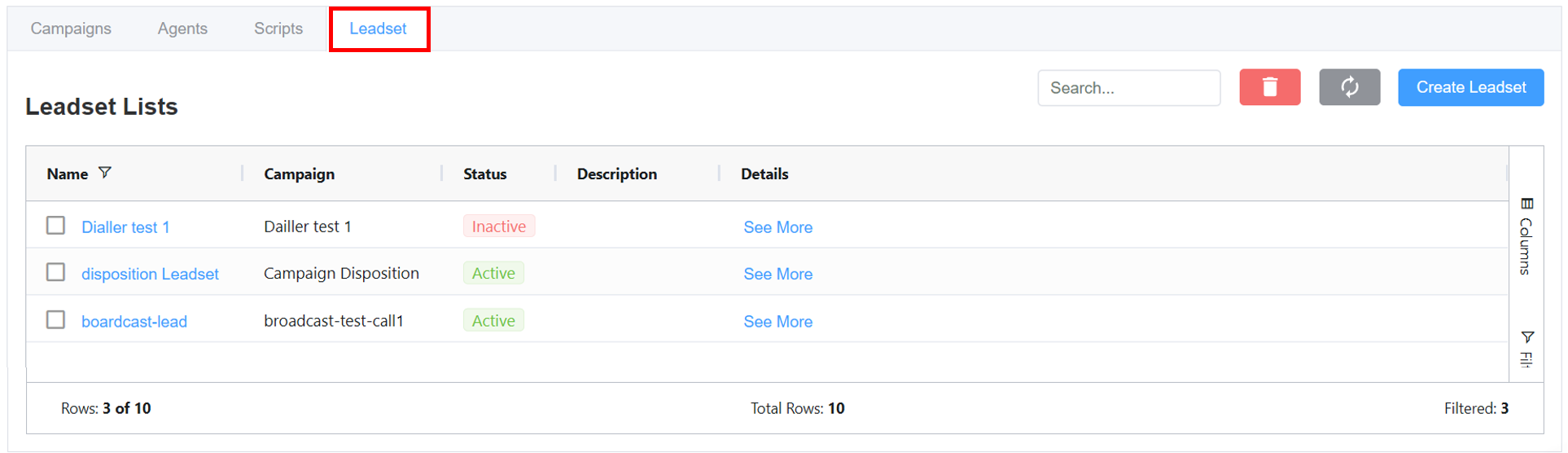
In this section, we will cover the Dialer Dashboard, which provides real-time insights into ongoing campaigns.
Dashboard Overview
- Navigate to Customer Portal Contact Center.
- Accessing the Dialer:
- The dashboard provides a real-time overview of campaign activities, agent statuses, data remaining and call progress.
- Dashboard Features:
- Agents Logged In: Tracks number of active agents.
- Agents Paused: Number of agents currently not available take calls but are logged in the system.
- Agents Waiting: Number of agents available and ready to take the call.
- Agents in Call: Number of agents actively involved in a live conversation.
- Active Calls: Total number of live and ongoing calls.
- Calls Waiting: Displays the number of queued calls.
- Calls Ringing: Total number of calls initiated but not answered yet.
- Data Remaining: Shows the number of contacts left to be dialed.
Please Note
Agents Waiting,Agents in Call,Calls Ringing, andActive Callsare the stats only for the Auto Dialer.AI Calls Ringing,AI Calls Active: These stats are only for Broadcast Dialer.Agents Logged In,Agents Paused,Data Remainingfor all three dialers.
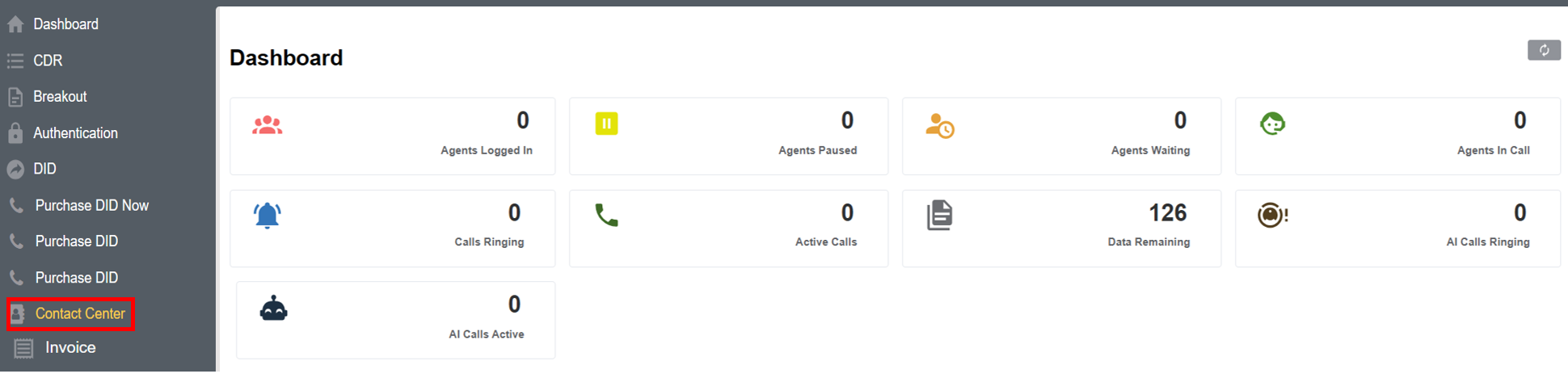
Summarizes ongoing campaigns, including parameters like status, campaign type, source status, CPS, Channels etc. You also have an option to Add Campaign.
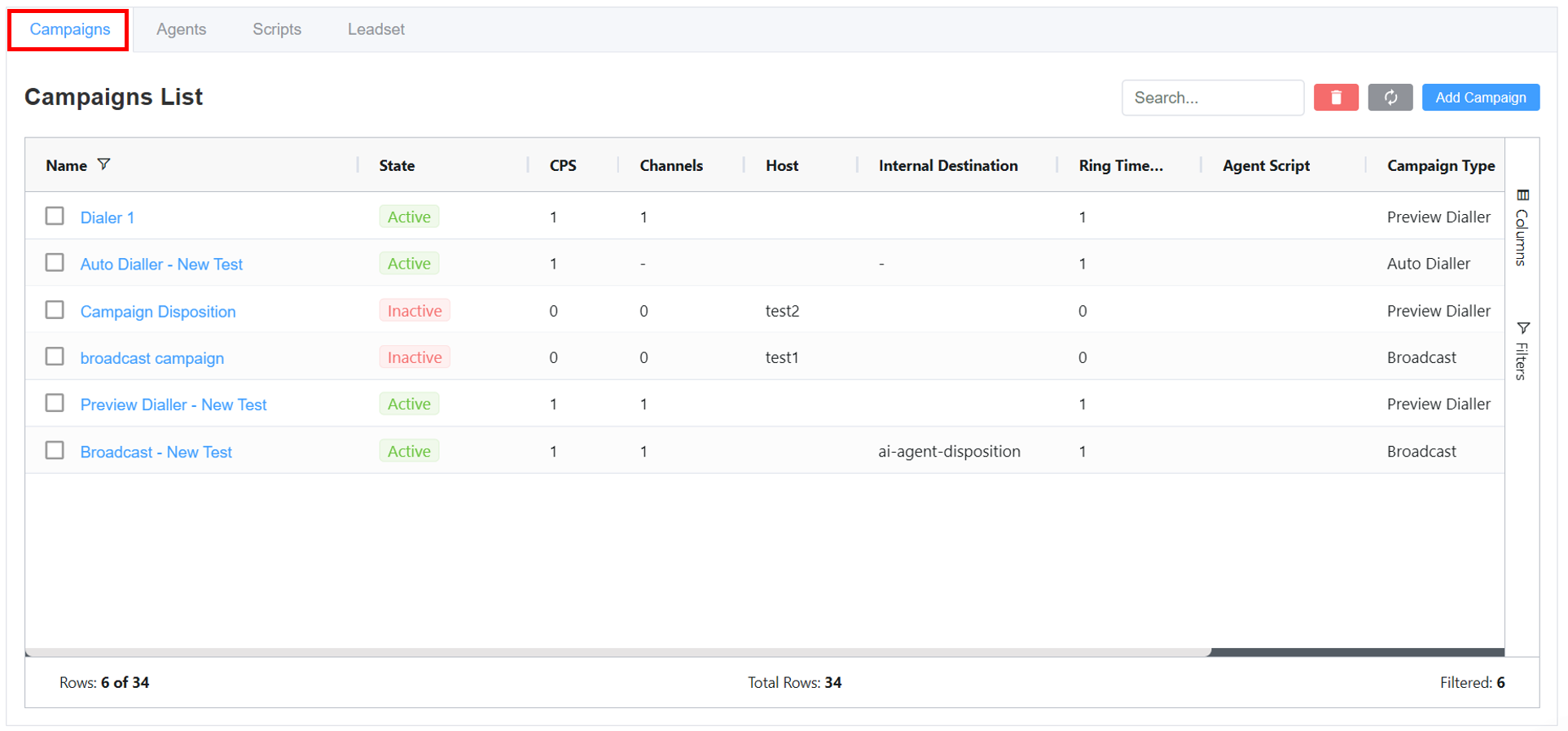
Summarizes ongoing agent activity, displaying parameters like status, SIP profile, protocol, bandwidth, CPS, channels, dial pattern, and other SIP metrics. You can also upload agents in bulk using Create Bulk Agents.
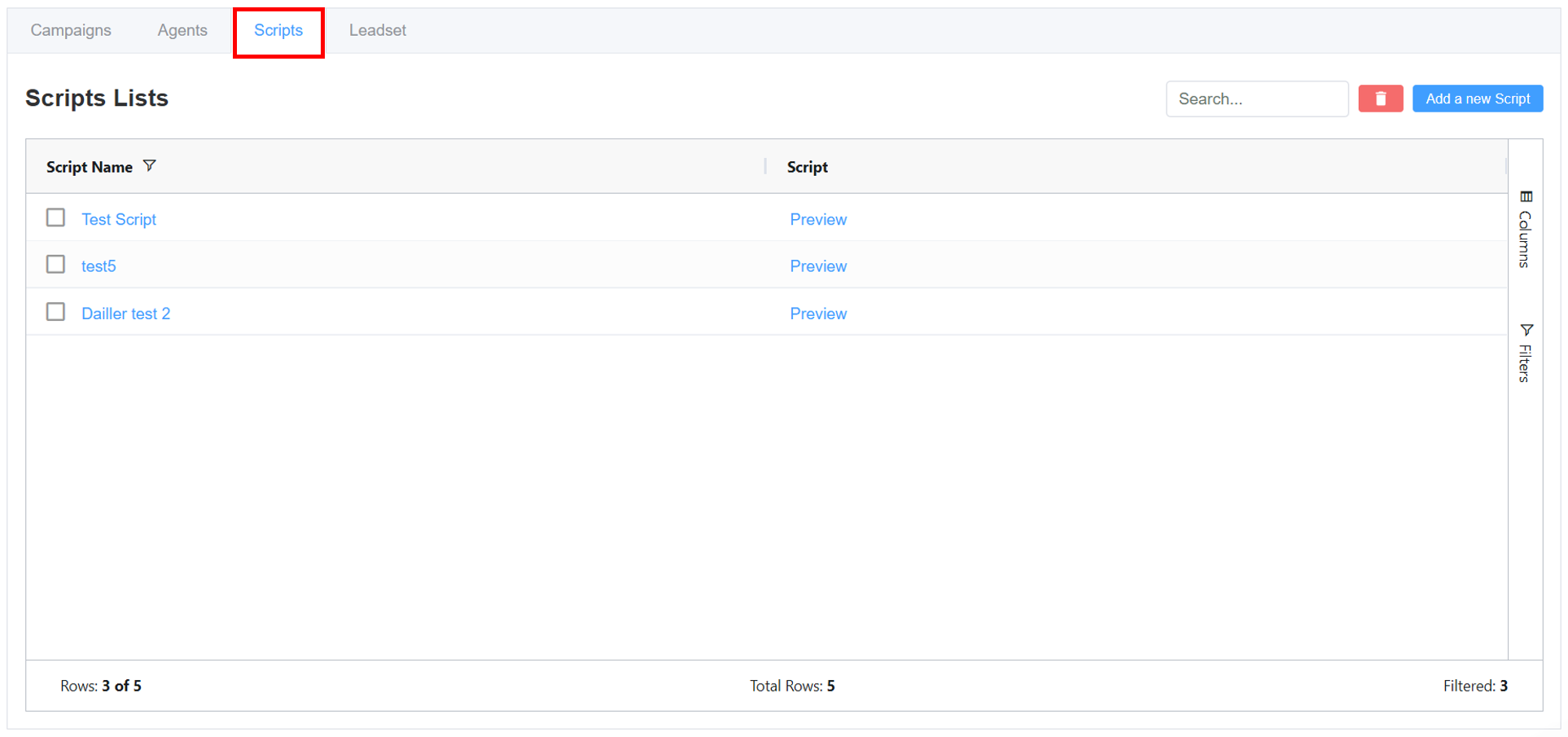
Displays all the created scripts in the Contact Center. You can also Add a New Script.
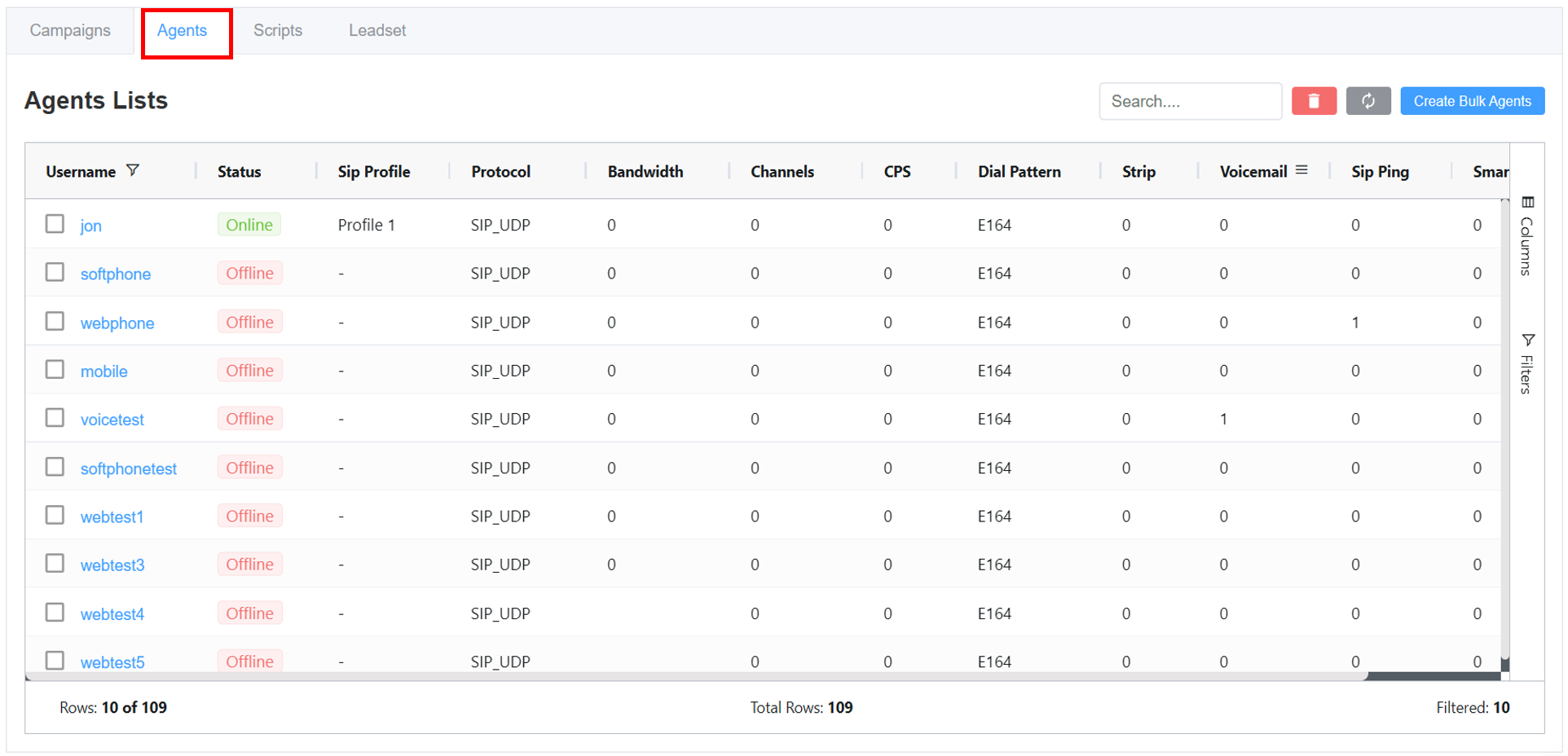
Manages leadsets for outbound campaigns, showing parameters like name, associated campaign, status, and description. You can also create new leadsets individually or upload them in bulk using Create Leadset.