Phonebook
Document Metadata
Category: Class 5 Services / Phonebook (Internal Directory)
Audience: Administrators, Engineers, Support Team
Difficulty: Beginner to Intermediate
Time Required: Approximately 15–30 minutes
Prerequisites: Active ConnexCS account with Class 5 module access; understanding of user extensions and contact directory management
Related Topics: Class 5 WebPhone – Contacts Directory
Next Steps: Navigate to
Management → Customer → [Customer Name] → Class 5 → Phonebook, click + to create a new entry (name, optional fields), save, then add associated phone number(s) for that entryClass 5 Phonebook
The Phonebook is an internal company directory that customers can set up for their users.
Since each customer has a customized phonebook per their request, other customers using the same account can't see their entries.
For individual customers, navigate to Management Customer [Customer Name] Class5 Phonebook
Create Entry
- Click .
-
Add the user's name and any other data that you wish to capture.
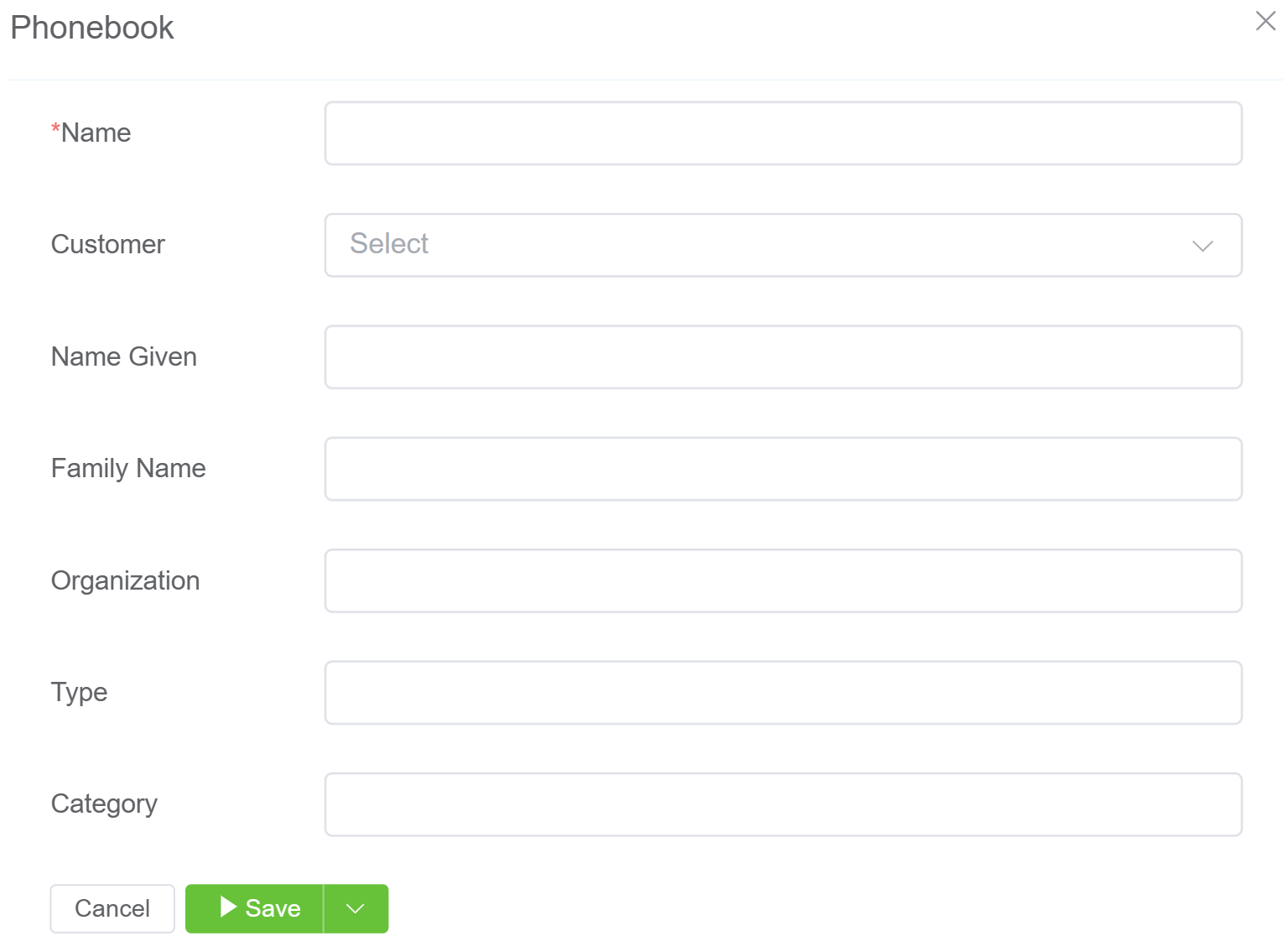
-
Click
Save. - The new entry will appear in the Phonebook.
- Click Phone Numbers to the right of the entry.
-
Enter the associated numbers and click
Save.Below is an example of how you can choose to organize this information.

Phonebook and WebPhone
Phonebook is also used in the Web Phone configuration.