Vouchers
Document Metadata
Category: Billing → Voucher
Audience: Administrators, Finance Team, Support Team
Difficulty: Intermediate
Time Required: 10–20 minutes
Prerequisites: Understanding of account top-ups, prepaid credit models, and access to voucher configuration in the platform.
Related Topics: Credit Control (setting voucher usage limits and credit), Payments (applying voucher codes during payment)
Next Steps: Configure voucher types and setup, then integrate voucher code redemption into your payment and account top-up workflows.
Management Vouchers
Vouchers are like calling cards, with the optional benefit of applying for extra credits when a customer tops up their account.
Vouchers are available in both the Customer Portal and on WebPhone.
Voucher Types
You can issue Vouchers in one of the following 3 forms:
- Free Credit: Once you enter the voucher code the credit applies independently of any other payment.
- Multiplier Credit: For example, Credit doubled for a top-up of $50 or more.
- Additional Credit: For example, $50 free credit for top-up of $100 or more.
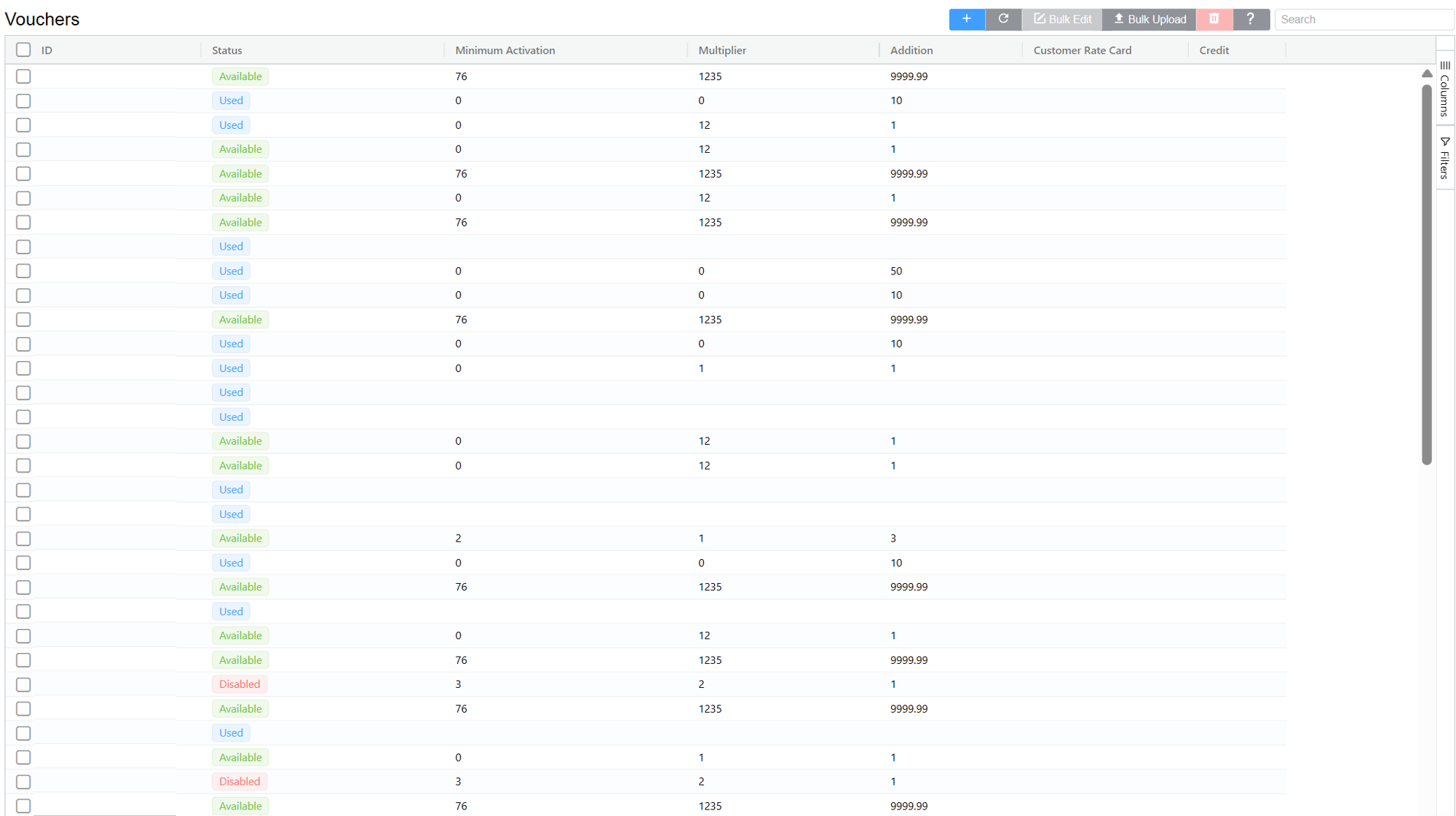
Voucher Setup
Click Add
-
Count: Enter the number of vouchers you wish to create (you can use a voucher only once).
-
Minimum Activation: Enter the minimum purchase amount required for the consumer to use the voucher.
Set to '0' to give a customer entirely free credit.
-
Multiplier: Enter the multiplier that applies to the customer's paid balance.
For example, for a 10% bonus, set the Multiplier to 1.1.
- Addition: Enter the extra credit that applies to the customer's account.
For example, set 50 to give them $50, with or without a spend of their own, based on the Minimum Activation.
- Currency Selector: Select the desired currency.
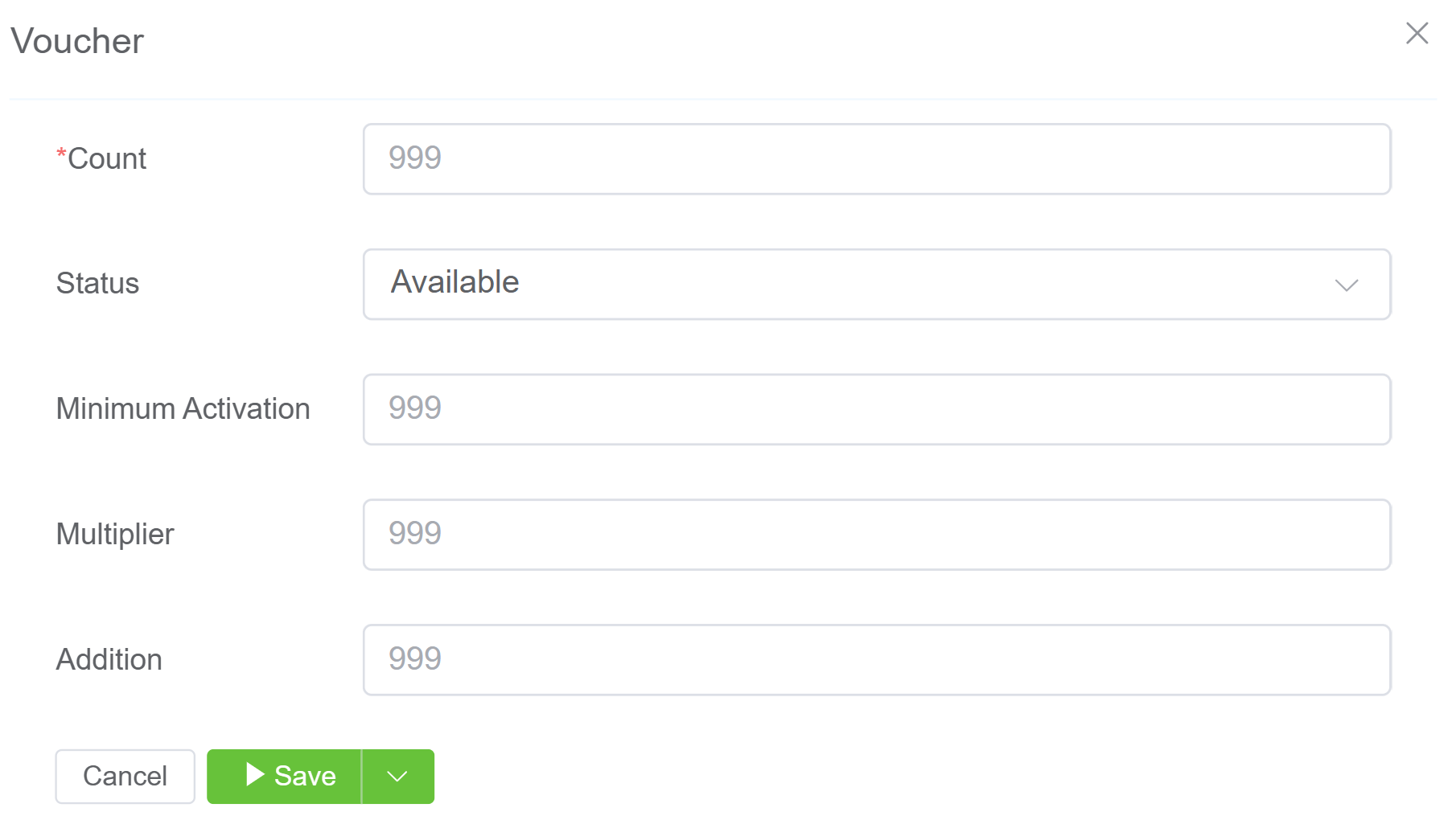
Select Save, and the system will generate the vouchers.