Global AI Agent
Document Metadata
Category: AI & Automation → Global AI Agent
Audience: Developers, Product Teams, System Administrators, Support Teams
Difficulty: Beginner–Intermediate
Time Required: 5–10 minutes
Prerequisites: ConnexCS account with AI Agent access; basic understanding of chat interfaces and automation workflows
Related Topics: MCP Server, AI Chat, App Platform, Automation Tools
Next Steps: Configure AI Agent settings, connect MCP Servers, start conversations, and integrate with workflows.
Overview
The Global AI Agent is an intelligent assistant integrated across the platform, designed to streamline workflows, enhance productivity, and simplify user interactions.
It serves as a unified interface that allows users to:
-
Interact with platform features using natural language
-
Retrieve account-related information instantly
-
Automate operational tasks and workflows
-
Access contextual help and guidance
The AI Agent combines conversational intelligence with system-level execution, enabling both informational queries and action-based operations.
Key Capabilities
1. Conversational Assistance
The AI Agent allows users to interact using natural language to:
-
Ask questions about features, settings, or configurations
-
Get step-by-step guidance
-
Troubleshoot issues
2. Workflow Automation
Users can automate tasks directly through prompts, such as:
-
Configuring services
-
Managing resources
-
Performing operational actions
The AI Agent translates user input into executable workflows, reducing manual effort.
3. Context-Aware Responses
The system understands user context and provides:
-
Personalized responses
-
Relevant suggestions
-
Accurate, account-specific insights (when applicable)
4. Tool Integration (MCP Support)
The AI Agent integrates with backend tools via MCP (Model Context Protocol) servers, enabling it to:
-
Fetch account-specific data
-
Execute actions within the system
-
Interact with platform services in real time
MCP Dependency
The AI Agent operates in two modes depending on the type of request:
When MCP is Required
MCP is used for:
-
Accessing account-specific information
-
Executing actions (e.g., configurations, updates)
-
Running workflows tied to platform services
When MCP is Not Required
MCP is not needed for:
-
General questions
-
Documentation-related queries
-
Concept explanations
In these cases, the AI Agent responds independently without invoking backend tools.
How to Use the Global AI Agent
-
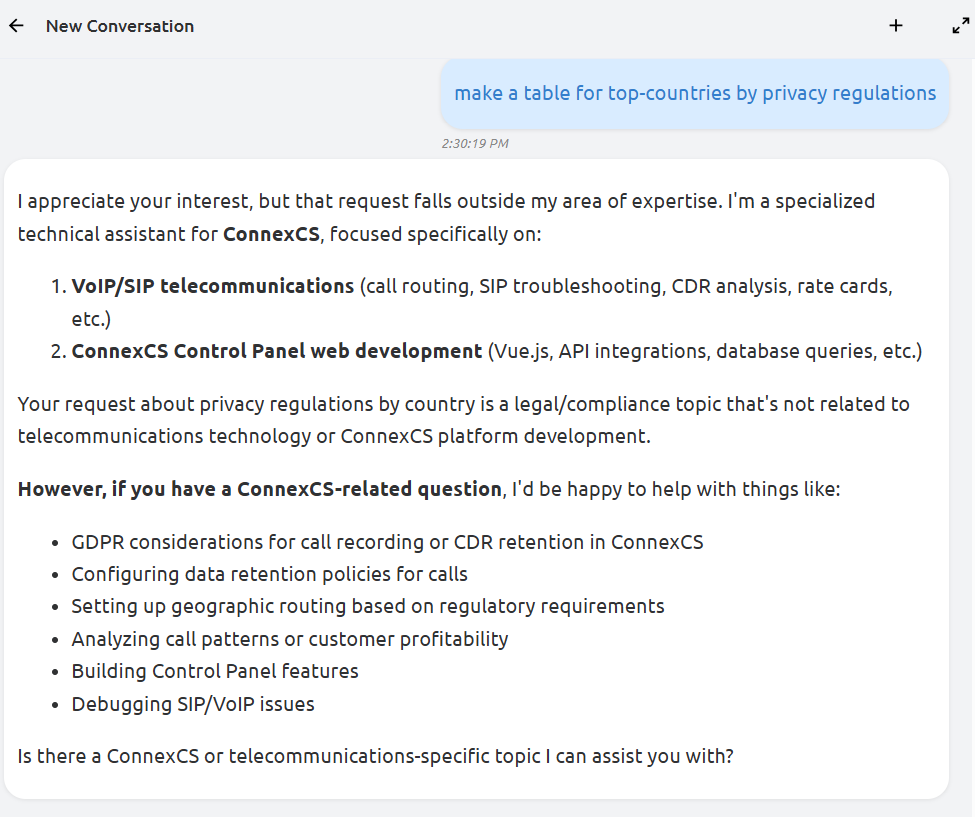
Open AI Chat
- Navigate to the AI interface.
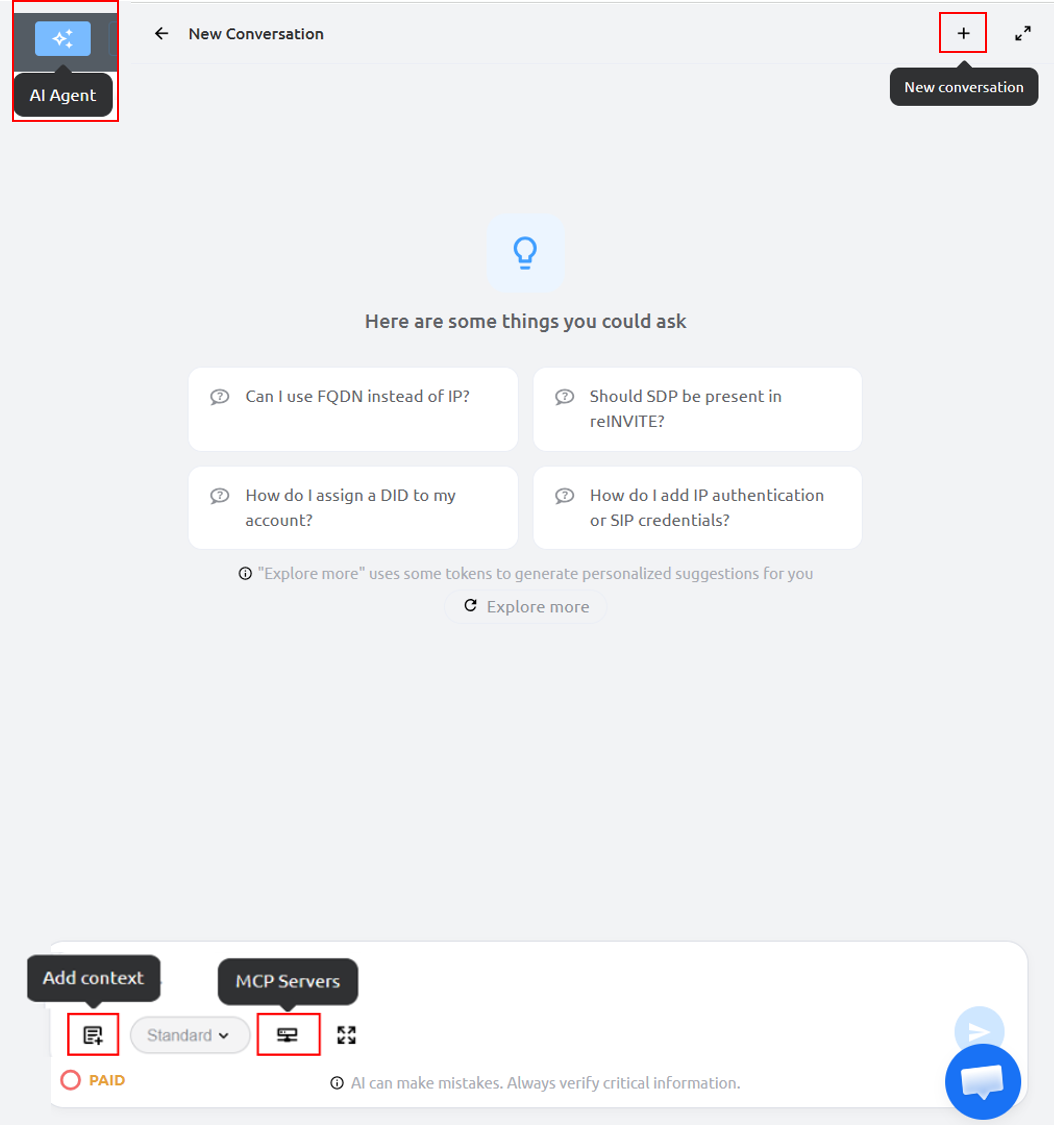
- Click on New Conversation (+) and enter your query or command in natural language.
- Explore More (Advanced Suggestions): This provides enhanced, personalized suggestions based on your queries.
- Generates deeper insights and recommendations.
- May consume additional tokens.
- Useful for advanced users seeking optimization tips
-
Configure Initial Settings:
Add Context(optional field): Allows you to provide additional information to the AI before or during a conversation so it can give more accurate, relevant, and helpful responses. You can either addText Inputor upload text files usingFile Uploadoption.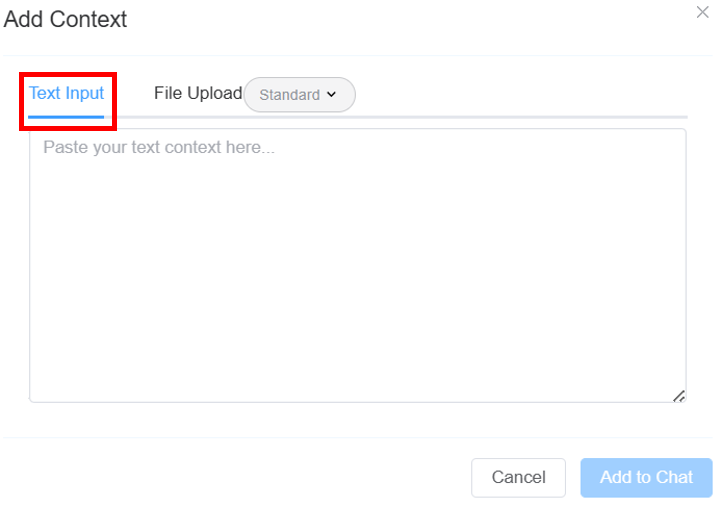
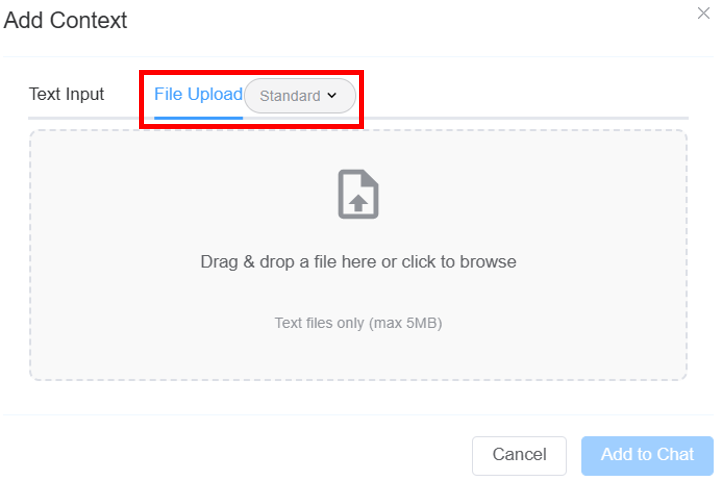
ClickAdd to Chat.- Select the mode of the model:
General(default): A fast model focused on quick results.Expert: This provides enhanced, personalized suggestions based on your queries.
MCP Sevrers: Allows you to select the MCP server the AI uses to access tools, data, and integrations for performing actions during the conversation.Togglefor fullscreen.PAID: It provides a token-level usage breakdown for the Global AI Agent—showing daily free quota consumption, exhaustion state, transition to paid billing, total billable tokens used, and the active model’s per-token pricing rate.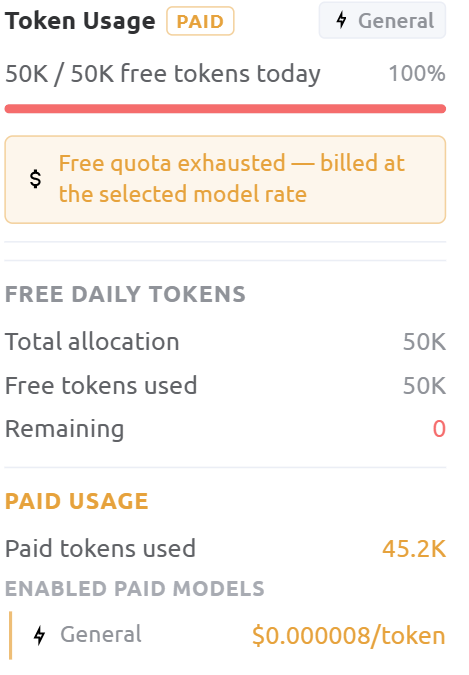 Click here for detailed information on Token Usage.
- If your tokens have expired and you still want to continue with the General/Expert mode, you need to enable packages under Setup Settings Account General LLM Tokens/Expert LLM Tokens. It will be visible under
PAID USAGE. Daily usage is automatically reset and reflected here.
-
Start Interaction
- Type your query in the chat box (e.g., “Show me any issues in my account”)
- The AI responds with insights, actions, or recommendations
Token Usage (Paid Feature)
The platform uses a token-based system to measure AI usage.
What Tokens Represent
- Each query and response consumes tokens.
- More complex requests use more tokens.
Usage Visibility
Users can:
-
View token consumption per interaction
-
Monitor overall usage
-
Track detailed breakdowns (if enabled)
Token Expiry & Limits
If your tokens are exhausted or expired:
-
AI responses may be limited or paused
-
You may need to upgrade or renew your plan
Example Use Cases
-
Account Monitoring
- Check system health and status
- Identify misconfigurations
-
Issue Detection
- Detect alerts or anomalies
- Get proactive recommendations
-
Optimization Guidance
- Improve routing, performance, or setup
- Receive AI-driven suggestions
-
Feature Discovery
- Learn about unused capabilities
- Explore additional modules
-
AI-Assisted Operations
- Reduce manual navigation
Best Practices
To get the most out of the AI Agent:
- Use clear and specific prompts
- Break complex tasks into smaller steps
- Verify critical outputs before execution
- Use Explore More for deeper insights when needed
Limitations
While powerful, the AI Agent has some limitations:
-
May not fully understand highly ambiguous queries
-
Requires MCP for real-time data and actions
-
Output accuracy depends on input clarity
Security & Data Handling
- Account-specific actions require MCP authorization
- Sensitive operations are executed within secure system boundaries
- The AI Agent only accesses data necessary to fulfill requests
Error Handling
In case of issues:
-
If MCP fails → the system will notify you and may retry
-
If a request cannot be completed → a fallback response is provided
-
Users may rephrase or retry commands to achieve better results
Summary
The Global AI Agent enhances the platform by combining:
-
Conversational intelligence
-
Workflow automation
-
Real-time system interaction
It enables users to move faster, reduce manual effort, and interact with the system more intuitively.