Session Initiation Protocol Devices
Document Metadata
Category: Infrastructure & Connectivity / SIP Devices
Audience: Network Engineers, Administrators, Support Team
Difficulty: Intermediate to Advanced
Time Required: Approximately 30–45 minutes
Prerequisites: Active ConnexCS account with permissions to manage SIP devices (DIDs, gateways, SIP endpoints) and access to Device Configuration modules.
Related Topics: SIP Device
Next Steps: After configuring your SIP devices, perform end-to-end call tests (inbound/outbound), monitor device registration and usage in the Reporting module, and schedule regular review of firmware and configuration settings for security compliance.
This feature is currently in Alpha Version. We're working on it. Please contact us for any queries.
Management SIP Devices
SIP Devices allows providers the ability to set a config file for a wide range of SIP phone make and models.
It's mainly used by MSPs (Managed Service Providers).
Add Session Initiation Protocol Device
To add a new SIP device:
-
Click .
-
Specify the MAC / IMIE / UUID to directly provision a customer device.
MAC: Media Access Control Address; IMEI: International Mobile Equipment Identity UUID: Universally Unique Identifier
-
Select the customer and enter any required information.
-
At the bottom of the edit screen, there is an
Edit Device Itembutton that allows you to configure the Line #, Display Name, CLI, and other settings. -
Click
Save.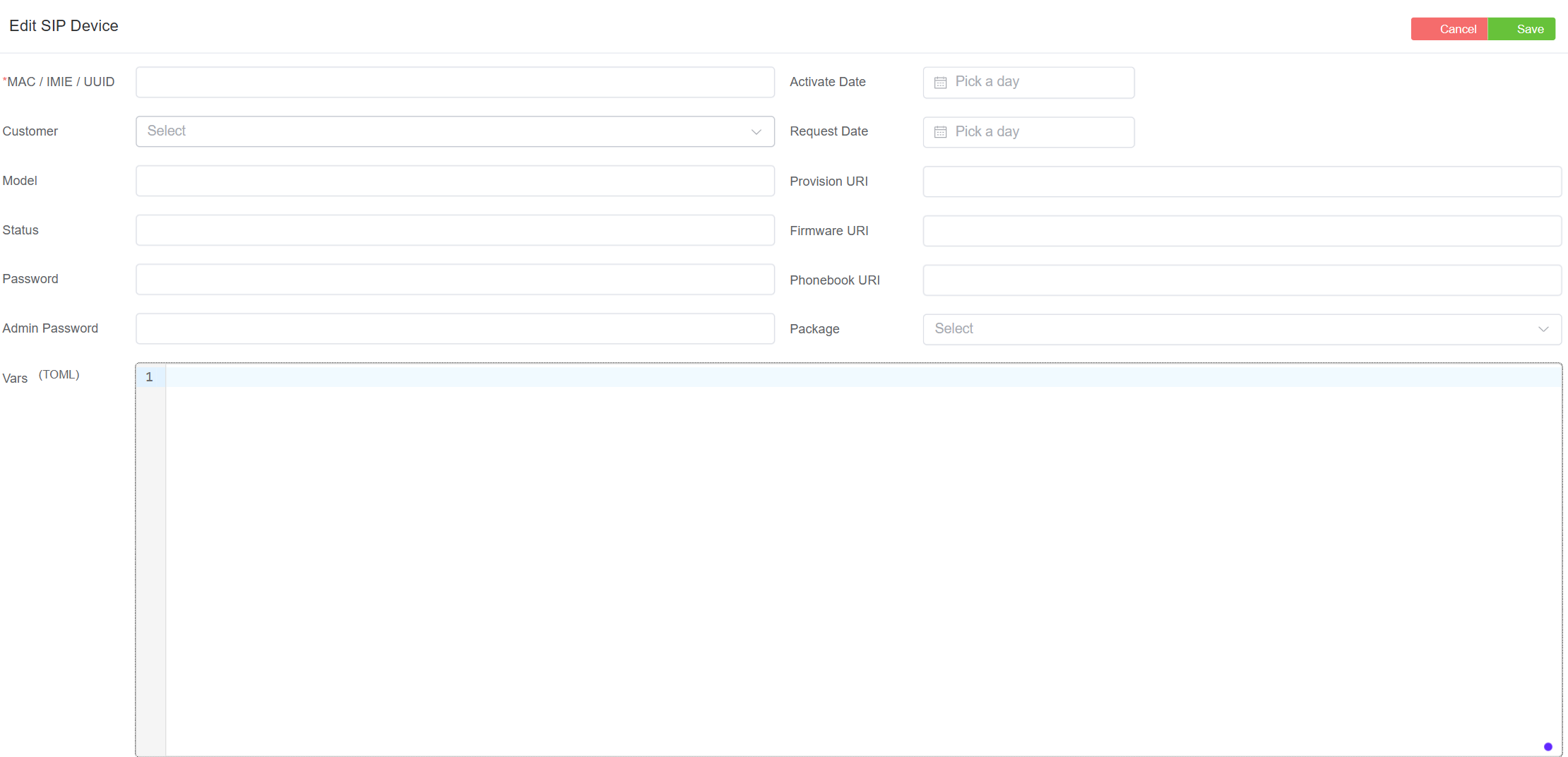
Advanced provisioning
Use the Vars field to configure custom parameters such as shared line extensions and customer Phonebook.
View and edit Device
Allows you to view and edit device information, including the addition of device lines.
- To view a device, select any device. A form appears.
- Select
Edit.
Delete Device
To delete a device from the list, select any row and click the trash bin icon.