Click-2-Dial (Programmatic API Calling)
Document Metadata
Category: Setup / Application Store & App Deployment
Audience: Administrators, Engineers, Product Team
Difficulty: Intermediate
Time Required: Approximately 10–15 minutes
Prerequisites: Active ConnexCS account with Setup privileges; a configured Class 4 server, Class 5 server, and Customer Portal domain; basic understanding of the Apps platform and API authentication.
Related Topics: App Store
Next Steps: Configure the Class 4/Class 5 servers and Customer Portal domain, generate an API key for the target customer, and test the API endpoint with a valid
api_key and destination phone number.Overview
Click-to-Dial API enables applications, websites, or software systems to initiate phone calls with a single click or programmatic command.
Instead of manually dialing a phone number, users or systems can trigger a call directly from an interface, making the process faster, more efficient, and less error-prone.
Call Flow (How it works?)
flowchart TD
    A[API Request Sent] --> B[Includes api_key & phone]
    B --> C[Validate Authentication]
    C -->|Valid| D[Initiate Two Outbound Calls]
    C -->|Invalid| X[Reject Request]

    D --> E[Call to Configured Extension]
    D --> F[Call to Destination Number]

    E --> G{Both Calls Answered?}
    F --> G

    G -->|Yes| H[Bridge Calls Together]
    G -->|No| I[Wait / Retry / Fail]
Steps to Use the App
-
Navigate to Setup App Store Click-2-Dial and click
Install.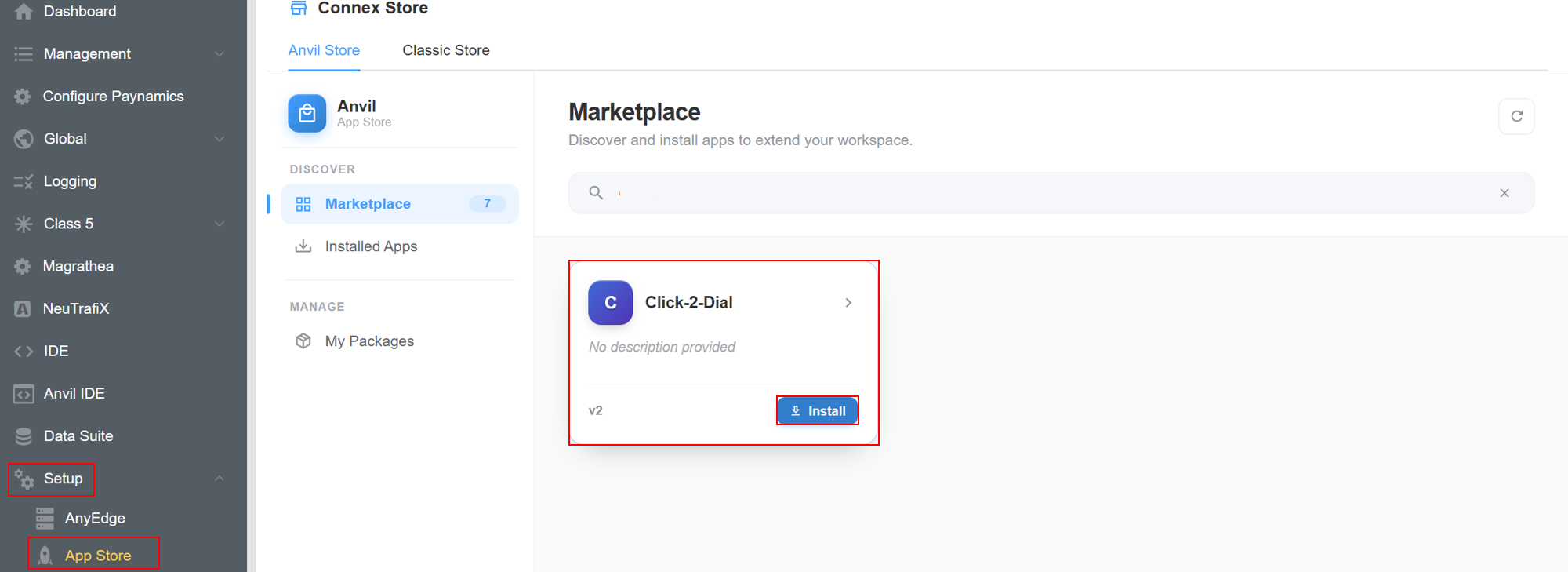
-
A window will appear, hit
Installagain.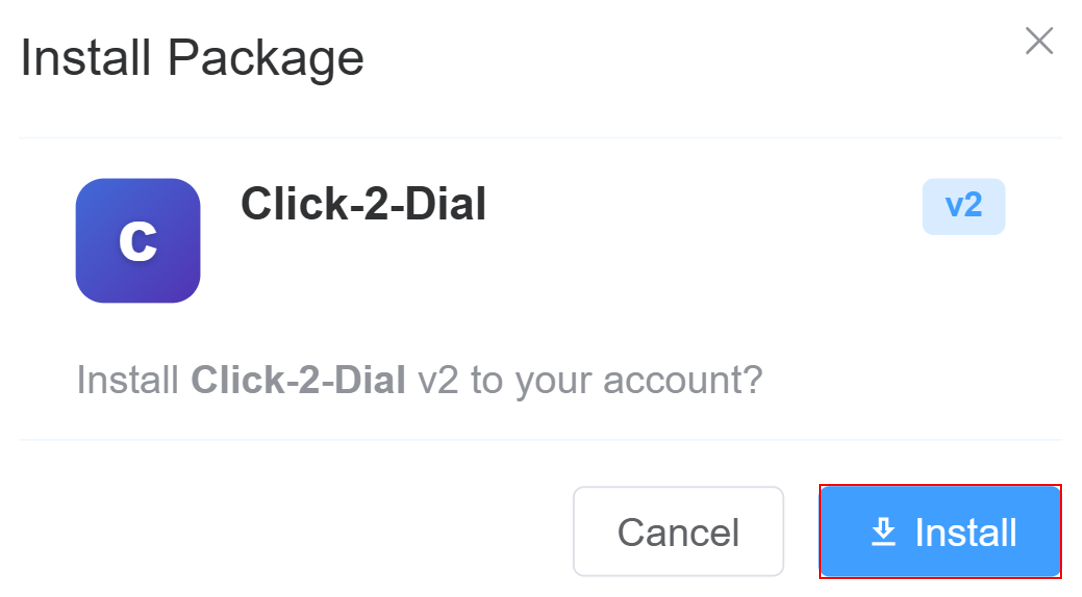
-
In the
Installed Versionstab clickConfig.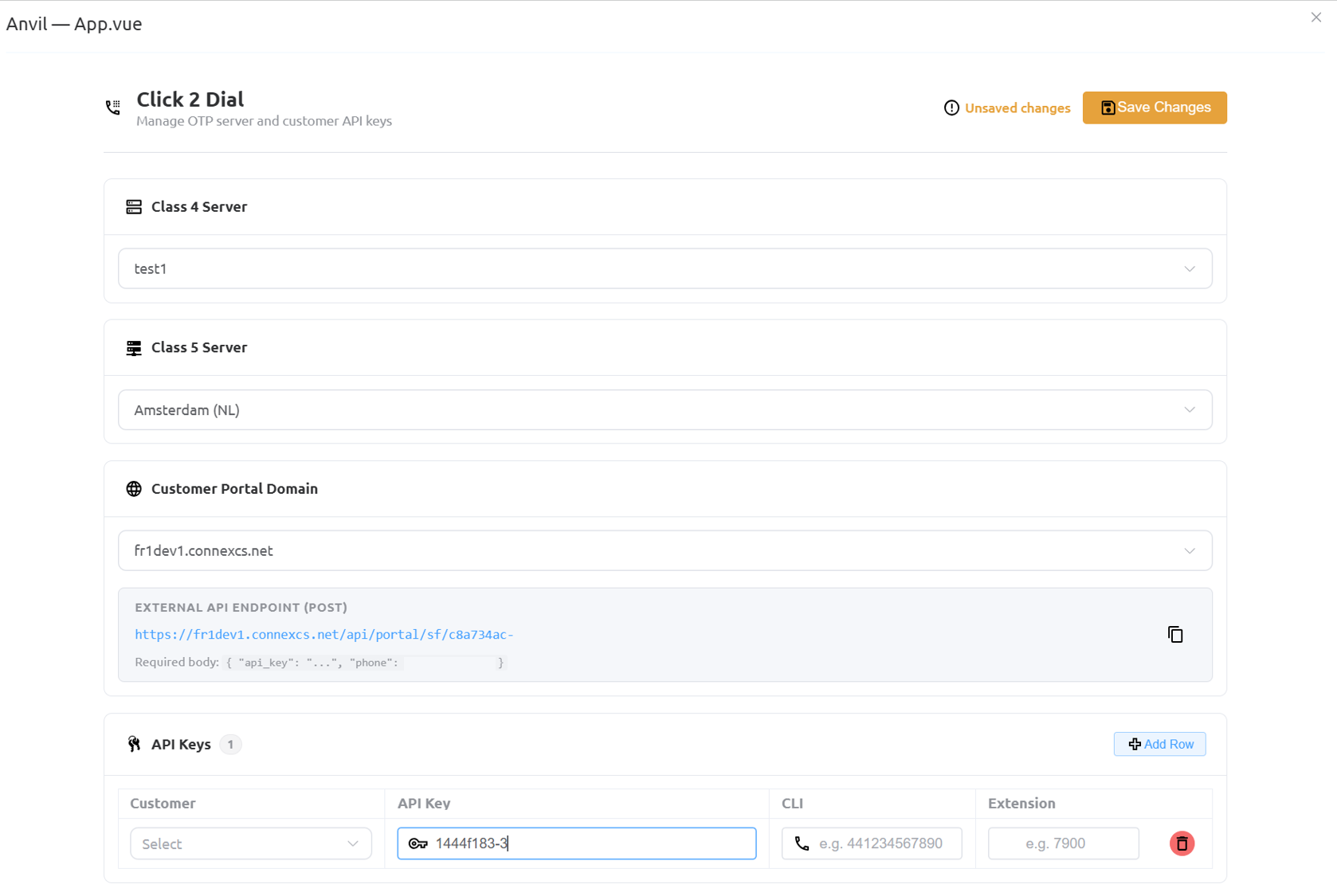
-
A window will open, prompting you to enter the following details:
- Select the
Class 4 server(from the drop-down) that routes outbound calls to the destination number through the configured carriers. - Select the
Class 5 serverthat manages customer extensions and places the call to the configured extension before connecting it to the destination. Customer Portal Domain: Select the customer portal domain that hosts the Click-2-Dial application and generates the API endpoint. The API endpoint used by external applications to send Click-2-Dial requests. Applications must send a POST request with a valid API key and destination phone number.API Keys:Customer: Select the customer account that will be authorized to use the Click-2-Dial API. The generated API key is associated with this customer.API Key: A unique authentication key generated for the selected customer. External applications must include this key in every Click-2-Dial API request to authenticate and initiate calls.CLI: Specify the Caller Line Identification (Caller ID) that is displayed to the destination party when the outbound call is placed. Enter the number in international format (for example, 441234567890).Extension: Specify the extension that should be called first. When a valid API request is received, the Click-2-Dial application rings this extension and, once answered, connects it to the destination number.Add Row: Click Add Row to create a new Click-2-Dial API configuration for another customer.Delete: Click the Delete icon to remove the selected customer's API key configuration from the Click-2-Dial application.
- Select the
- Click
Save.